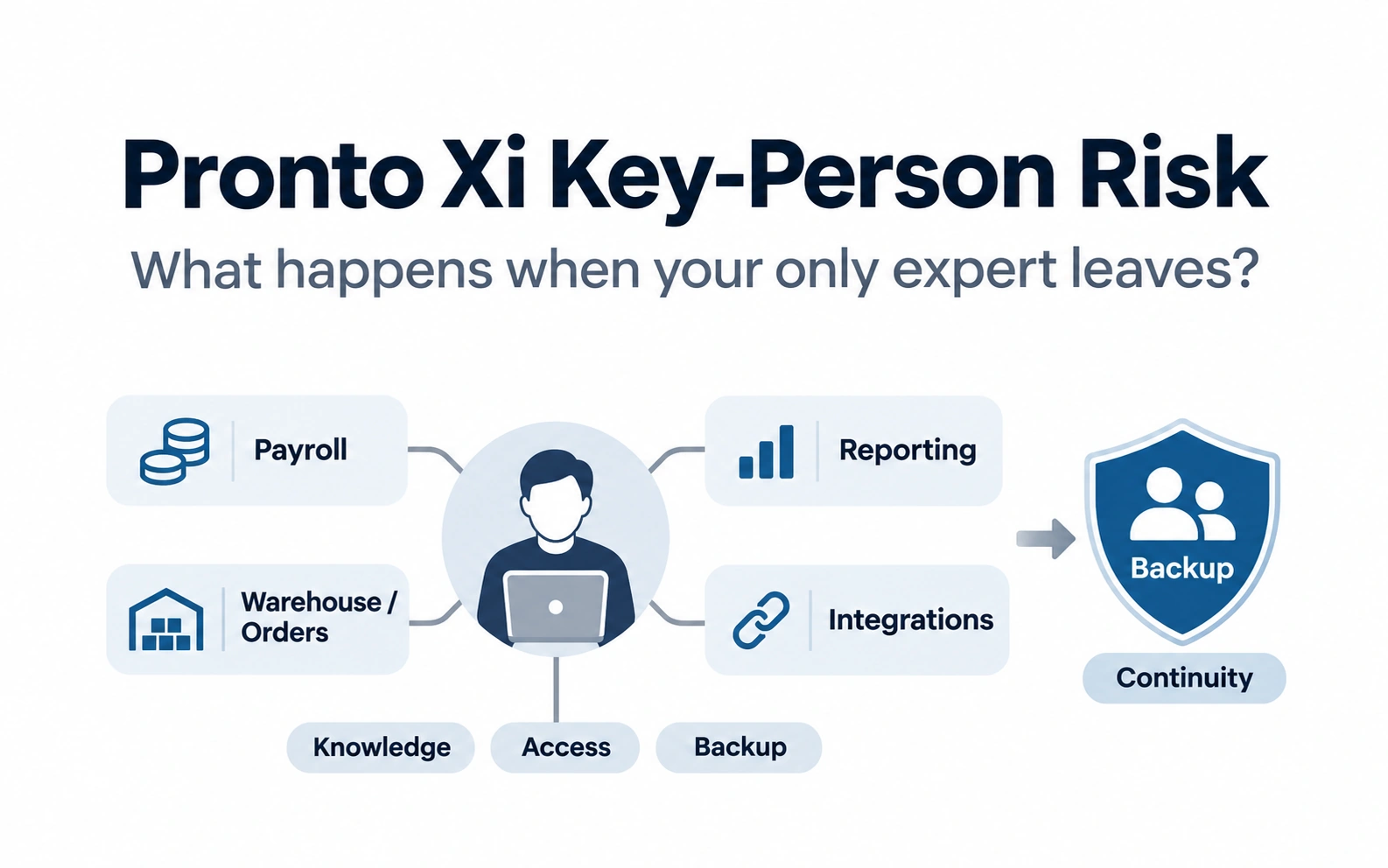
Pronto Xi Continuity Plan: Keep Your ERP Running Without One Expert
A 90-day plan for CFOs and CIOs to keep Pronto Xi running when a key expert is away: interruption limits, backup capacity, external fallback and a two-week absence test.
A Pronto Xi continuity plan sets how long each critical ERP process can stop, who can run it when the usual expert is away, and how you prove that cover works. This guide turns that into a 90-day program. If you first need to find where your key-person risk sits, start with our Pronto Xi key-person risk assessment.
The answer is not automatically to duplicate every ERP role.
It is to identify the dependencies that could stop the business and build proportionate continuity around them.
A practical framework is:
Critical process → Impact → Knowledge → Access → Authority → Backup → Recovery time → External fallback → Test
For CFOs and CIOs, this is a business-continuity and operational-risk issue, not simply a recruitment problem.
What a continuity plan has to cover?
General ERP guidance
Key-person risk exists when a business-critical capability is concentrated in one individual.
That person might be the only one who knows:
- how a critical Pronto Xi process really works;
- why an unusual configuration exists;
- how an integration is recovered after failure;
- which customisations affect a process;
- how month-end or payroll exceptions are resolved;
- which reports executives rely on;
- which vendors or specialists need to be contacted during an incident.
The most important question is:
If this person became unavailable tomorrow, what would become difficult, delayed or impossible?
That is a more useful test than asking whether documentation exists.
Planned loss and unexpected loss are different risks
General ERP guidance
Planned loss
Examples include:
- retirement;
- resignation;
- promotion;
- internal transfer.
These usually provide some opportunity for knowledge transfer.
Unexpected loss
Examples include:
- illness;
- sudden leave;
- emergency;
- external consultant becoming unavailable;
- loss of system access.
These provide little or no handover window.
A continuity model designed only after somebody resigns addresses planned succession.
It does not solve unexpected operational dependency.
What knowledge is actually at risk?
Critical ERP knowledge is broader than instructions for using Pronto Xi.
It includes several layers.
Business-process knowledge
How does the organisation actually operate?
Examples include:
- procure-to-pay;
- order-to-cash;
- payroll;
- inventory;
- manufacturing;
- month-end.
Pronto Xi functional knowledge
How has the business configured Pronto Xi to support those processes?
Technical knowledge
Where applicable, this may include:
- integrations;
- scheduled processes;
- environments;
- custom development;
- deployment procedures;
- system dependencies.
Decision history
Why was something implemented in a particular way?
An unusual configuration may exist because of a historical business requirement, integration, control or limitation.
Document:
Requirement → Decision → Rationale → Dependencies → Owner → Consequence of change
Knowing why can be more important than knowing how.
Relationship knowledge
Who needs to be involved when something fails?
That may include:
- internal Finance;
- Operations;
- IT;
- Pronto Software;
- external specialists;
- other technology providers.
The hardest knowledge to replace is often not:
“Which screen do I use?”
It is:
“What do I do when the normal process stops working?”
Knowledge is only one part of continuity
A backup person may understand the process perfectly and still be unable to operate it.
For each critical process, test five things:
Knowledge
Does another person know what to do?
Access
Can they access the relevant system, environment, files and supporting resources?
Authority
Are they authorised to perform the required action or approve the decision?
Capacity
Could they realistically absorb the work?
Fallback
If the internal backup cannot resolve the problem, is external specialist help available?
This leads to a stronger continuity principle:
Knowledge without access, authority or capacity is not a functioning backup.
Do you actually own the technical assets behind Pronto Xi?
General ERP governance guidance
Key-person risk can sit inside technical assets rather than business procedures.
Depending on the environment, review ownership of:
- integration specifications;
- customisation documentation;
- source code where applicable;
- scheduled-job knowledge;
- API or integration credentials;
- service accounts;
- certificates;
- deployment procedures;
- test and production environment knowledge;
- backup and recovery procedures;
- third-party vendor relationships.
The CIO-level question is:
Does the organisation understand and control the assets required to operate its Pronto Xi environment, or does one individual effectively control them?
Where credentials are involved, they should of course be retained through appropriate secure access-management practices rather than embedded in ordinary documentation.
How should key-person risk be prioritised?
Do not document everything with equal urgency.
Use:
Business impact × Knowledge concentration × Recovery difficulty × Time sensitivity
| Factor | Question |
|---|---|
| Business impact | What happens if the process stops? |
| Knowledge concentration | How many people genuinely understand it? |
| Recovery difficulty | How difficult is the expertise to replace? |
| Time sensitivity | How long can the business tolerate interruption? |
A process that can wait two weeks is different from one that must operate tomorrow morning.
The highest risks combine:
High impact + One knowledgeable person + Difficult replacement + Short recovery window
Define the maximum tolerable interruption
General business-continuity guidance
Not every Pronto capability needs the same recovery speed.
For each critical process, ask:
How long could this process realistically be unavailable before material business impact occurs?
For example, different organisations may have very different tolerances for:
- payroll;
- warehouse operations;
- order processing;
- month-end;
- a specialised management report.
Do not use generic recovery targets.
Set them according to actual business consequence.
A useful risk register can include:
| Capability | Impact | Primary owner | Backup | Maximum tolerable interruption | Recovery readiness |
|---|---|---|---|---|---|
| Payroll | High | Named owner | Trained | Short | Medium |
| Warehouse support | High | Named owner | None | Short | Low |
| Month-end | High | Named owner | Partial | Moderate | Medium |
| Custom development | Medium/High | Named owner | None | Longer | Low |
| Reporting | Medium | Named owner | Partial | Moderate | Medium |
The values above are illustrative.
Documentation alone does not solve the problem
A large procedure manual creates little value if nobody can use it under pressure.
For each critical capability, capture:
Purpose → Trigger → Inputs → Procedure → Exceptions → Access → Authority → Escalation → Recovery
The most valuable sections are often:
Exceptions
What goes wrong most frequently?
Diagnosis
How is the cause identified?
Escalation
When should the internal team stop troubleshooting and involve specialist help?
Recovery
How is normal operation restored and checked?
The goal is not documentation completeness.
It is usable continuity.
How much backup capability is enough?
Not every skill requires two permanent employees.
A proportional model is:
| Level | Continuity coverage | Appropriate where |
|---|---|---|
| 1. Documented | Procedure exists | Low impact |
| 2. Cross-trained | Another person understands the process | Moderate impact |
| 3. Practised backup | Backup has successfully performed it | High impact |
| 4. Dual/external coverage | Additional internal or external specialist capability exists | Business-critical |
The important distinction is:
“Someone has read the procedure” is not the same as “someone has successfully performed it.”
How should external fallback work?
An external specialist can provide sensible continuity for expertise that does not justify permanent duplication.
But there is an important difference between:
“We know someone who might help.”
and:
“A named specialist or provider can support this capability, we know how to engage them, and the required access and context can be provided.”
A realistic fallback should answer:
- Who do we contact?
- What capability do they cover?
- How quickly can they respond?
- What information will they need?
- What access arrangements are required?
- Who internally owns the escalation?
SAAPRO's existing support-model guidance similarly identifies continuity and knowledge replacement as considerations when choosing between internal staff, contractors and managed services.
Pronto-specific resources that can help build capability
Pronto-specific
Pronto Software currently provides a Learning Management System with self-contained training videos, learning plans, education guides and organisational training tracking. It explicitly positions the LMS as supporting Pronto Xi learning and onboarding.
Pronto Plus provides customer access to technical support and resources including product manuals, release notes, fixed-readiness information and forums.
These resources can strengthen product knowledge.
They do not automatically capture:
- your organisation's configuration decisions;
- internal processes;
- customisations;
- integration history;
- workarounds;
- business-specific escalation paths.
Those still require deliberate internal knowledge retention.
Capability is not the same as capacity
This is especially important in small ERP teams.
A backup may technically know how to perform the work but already have a full workload.
Ask separately:
Can they do it?
and:
Can they take it over when required?
SAAPRO's existing Pronto Xi roles guide makes the same distinction between capability and workload capacity.
A backup without capacity may exist on an organisation chart but not in practice.
Use the two-week absence test
This is one of the simplest ways to expose hidden dependency.
Assume:
Your primary Pronto expert is unavailable for two weeks tomorrow, with no handover.
For every critical capability ask:
- What stops first?
- Who notices?
- Who takes ownership?
- Does the backup know what to do?
- Do they have access?
- Are they authorised to act?
- What decisions cannot be made?
- Which technical assets are needed?
- Who provides external escalation?
- How long before material business impact occurs?
If these questions cannot be answered confidently, the continuity risk is not theoretical.
Need backup Pronto Xi capability before the test becomes real? Talk to SAAPRO.
What should trigger a formal key-person risk review?
Review continuity when:
- a critical employee announces retirement or departure;
- one person is routinely contacted while on leave;
- only one individual can resolve recurring high-impact incidents;
- integrations or customisations lack clear ownership;
- upgrades depend heavily on one specialist;
- one consultant effectively owns a critical part of the environment;
- acquisitions or business growth increase ERP complexity;
- documentation no longer reflects the current system;
- the ERP Manager increasingly operates as the only escalation point.
Do not wait for resignation.
By then, the knowledge-transfer window may already be too short.
A practical Pronto Xi key-person risk framework
For each critical capability, record:
Process → Impact → Owner → Knowledge → Access → Authority → Backup → Recovery time → External fallback → Test status
Then prioritise gaps.
For example:
| Capability | Backup | Access | Authority | Recovery readiness |
|---|---|---|---|---|
| Month-end | Partial | Yes | Partial | Medium |
| Payroll | Trained | Yes | Yes | High |
| Warehouse support | None | N/A | N/A | Low |
| 4GL/custom capability | None | Limited | N/A | Low |
| Cognos reporting | Partial | Yes | Yes | Medium |
This is illustrative.
The objective is to make hidden dependency visible before it becomes an incident.
How should improvement be measured?
Key-person risk reduction is partly a risk-management investment, so avoid inventing a dollar value for disruption that has not occurred.
Measure tangible improvement instead.
Useful indicators include:
- critical processes with trained backups;
- critical runbooks tested;
- single-person dependencies remaining;
- backup access confirmed;
- backup authority confirmed;
- maximum recovery time achieved during testing;
- external fallback arrangements established;
- onboarding time for replacement Pronto personnel;
- emergency consulting or overtime required because of absence.
Treat avoided operational disruption as a risk benefit, not guaranteed cash savings.
A 90-day continuity program
Days 1–30: Identify concentration
Map the critical capabilities.
Prioritise with:
Impact × Concentration × Recovery difficulty × Time sensitivity
Days 31–60: Build minimum viable continuity
For the highest risks:
- capture key decisions and procedures;
- identify technical assets;
- nominate a backup;
- confirm access;
- confirm authority;
- establish external fallback.
Days 61–90: Test it
Run selected processes with the primary expert deliberately stepping back.
Or conduct the two-week absence scenario as a tabletop exercise.
The test often reveals:
- undocumented judgement;
- missing access;
- permissions nobody considered;
- outdated procedures;
- technical assets controlled by one person;
- external specialists who cannot actually respond quickly.
The objective is not a completed document library.
It is evidence that the organisation can continue operating.
What does a mature Pronto Xi continuity model look like?
A mature environment does not require everybody to know everything.
It has:
- explicit ERP ownership;
- backups for critical processes;
- secure shared ownership of required technical assets;
- current runbooks;
- appropriate access and authority;
- external specialist coverage where internal duplication is uneconomic;
- structured onboarding and product training;
- tested recovery expectations.
The target is not:
“Nobody is indispensable.”
Experienced specialists will always matter.
The target is:
“No critical business process becomes unmanageable because one person is unavailable.”
Pronto-specific vs general guidance
| Area | Pronto-specific | General ERP / continuity guidance |
|---|---|---|
| Product learning | Pronto Software Education LMS | Cross-train and test backups |
| Product support | Pronto Plus support and documentation | Pre-plan escalation |
| Roles | Pronto environments require a mix of functional, support, technical and management capabilities | Separate capability from capacity |
| Technical assets | Environment-specific | Ensure organisational ownership |
| Access | Depends on local Pronto/security configuration | Confirm backups can actually operate |
| Recovery | No Pronto feature removes dependency by itself | Define tolerable interruption and test continuity |
Conclusion
Pronto Xi key-person risk is not primarily about whether a valued employee might resign.
It is about whether the organisation has allowed critical ERP knowledge, access or decision authority to become concentrated in one place.
The practical continuity chain is:
Critical process → Impact → Knowledge → Access → Authority → Backup → Recovery time → External fallback → Test
Pronto Software provides product training, support and documentation that can strengthen capability.
But organisation-specific continuity still needs to be designed and tested deliberately.
For CFOs and CIOs, the objective is:
Keep specialist expertise valuable without allowing one specialist to become a single point of operational failure.
If the assessment identifies a gap in Pronto Xi support, business analysis, functional expertise, systems administration, development or ERP management, SAAPRO specialises in Pronto Xi recruitment and specialist resourcing. Contact SAAPRO to discuss your requirement.
Before acting on this guidance
Every Pronto Xi environment has a different combination of configuration, integrations, customisations, access controls and support arrangements.
Before changing continuity or staffing arrangements:
- identify the actual critical processes and technical assets;
- confirm backup access and decision authority;
- define realistic recovery expectations;
- verify the availability and scope of external support;
- test backup capability rather than relying only on documentation.
The continuity model should reflect actual business impact and recovery requirements, not a generic staffing ratio.
Frequently Asked Questions
Pronto Xi key-person risk exists when critical ERP knowledge, access, authority or operational responsibility depends disproportionately on one person. The risk becomes material when their absence could delay important processes such as payroll, month-end, warehouse operations, reporting, integrations, support or upgrades.
Start with critical business processes, not job titles. Assess the business impact if each process stops, how many people genuinely understand it, whether backups have the necessary access and authority, how difficult the expertise is to replace and how quickly the process must recover.
No. Documentation helps, but critical processes also require usable access, appropriate authority and practical backup capability. For important processes, test whether the backup can actually perform the work without relying on the primary expert rather than assuming that written procedures provide continuity.
Yes. Pronto Software’s Education LMS provides structured Pronto Xi training videos, learning plans and education guides, while Pronto Plus provides product documentation and support resources. These strengthen product knowledge but do not replace organisation-specific knowledge of processes, customisations, integrations and historical decisions.
No. Continuity should be proportionate to business impact and recovery needs. Some capabilities warrant internal cross-training, while infrequent specialist requirements may be covered through external expertise. The goal is reliable continuity, not automatic duplication of headcount.
Use a two-week absence scenario. Assume the primary expert is suddenly unavailable and test who takes ownership, whether the backup has the required knowledge, access and authority, what technical assets are needed, how escalation works and how long the business can continue before material impact occurs.
Key Takeaways
- ✓A continuity plan sets how long each critical Pronto Xi process can stop and who can run it in the meantime.
- ✓Key-person risk measures dependency, not employee performance.
- ✓Knowing how to perform a process is insufficient if the backup lacks the required access, authority or capacity.
- ✓Critical technical assets, such as integration knowledge, customisation history, deployment procedures and credentials, also need ownership.
- ✓Planned departures and unexpected absences require different continuity responses.
- ✓The strongest test is practical: could the business continue if the primary Pronto expert disappeared for two weeks with no handover?