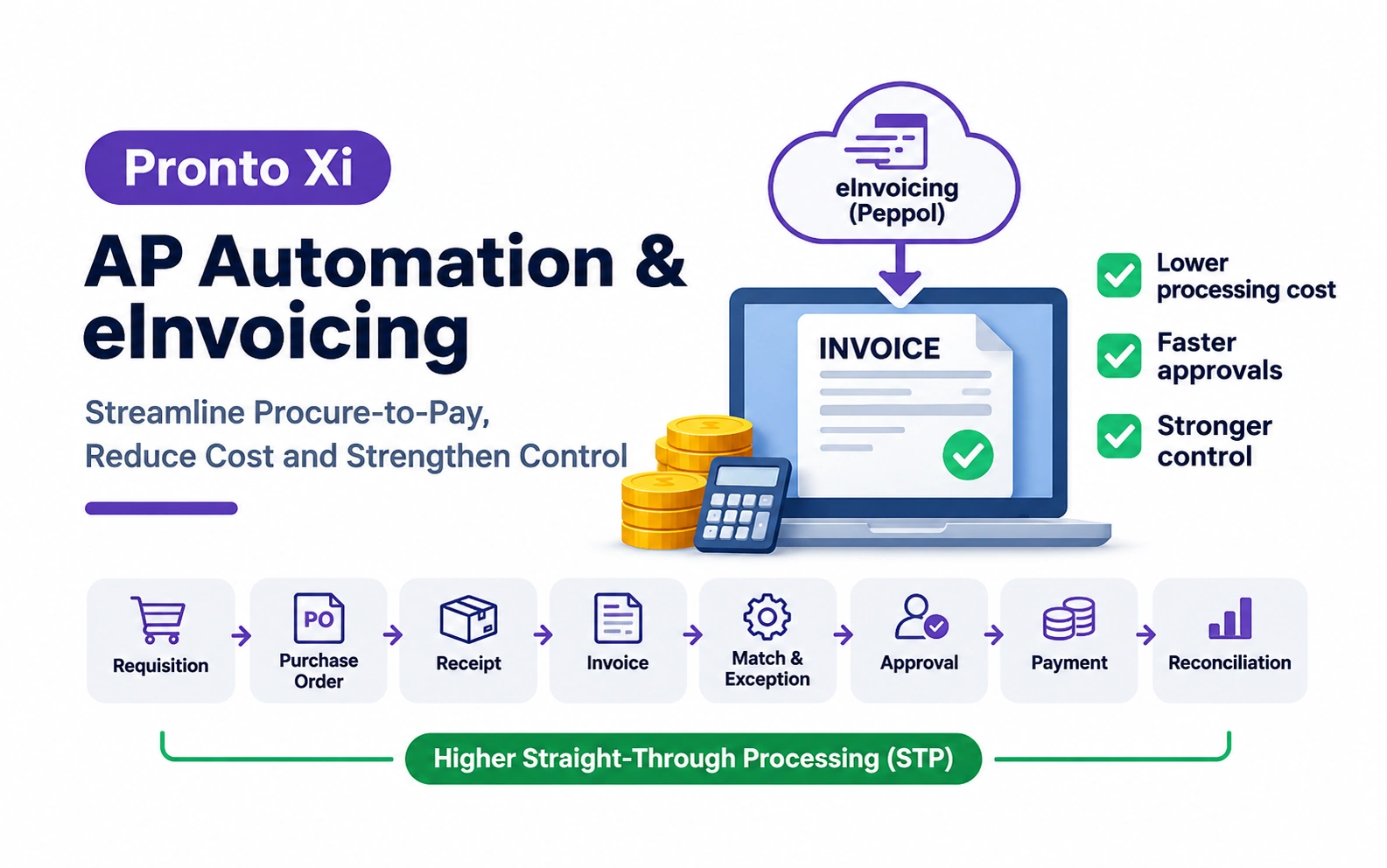
Pronto Xi AP Automation & eInvoicing: Reduce Processing Cost, Speed Up Approvals and Strengthen Control
A practical guide to Pronto Xi AP automation and eInvoicing, covering straight-through processing, exception reduction, approval controls, supplier adoption and how to build a credible ROI case.
The real opportunity in Pronto Xi AP automation is not simply removing invoice data entry. It is improving the entire procure-to-pay process so routine invoices require minimal human intervention, exceptions are identified quickly, approvals remain controlled and Finance has better visibility over upcoming payments.
That means looking beyond Accounts Payable itself.
The relevant process is:
Requisition → Purchase Order → Receipt → Invoice → Match → Exception → Approval → Posting → Payment → Reconciliation
If the purchase order is wrong, the receipt is missing or supplier data is unreliable, automating invoice capture will not solve the underlying problem.
For CFOs and CIOs, the better objective is:
Increase straight-through processing while reducing exceptions, manual effort, approval delay and financial risk.
What is Pronto Xi AP automation?
Pronto-specific capability
Pronto Xi Accounts Payable is integrated with Purchasing and the General Ledger and supports supplier invoice processing, purchase-order matching, invoice authorisation, payment approval and payment processing.
For purchase-order invoices, Pronto Xi can identify differences between the PO and supplier invoice and requires those differences to be accounted for during invoice processing.
For non-PO invoices, supplier invoices can also be allocated directly to General Ledger accounts where appropriate.
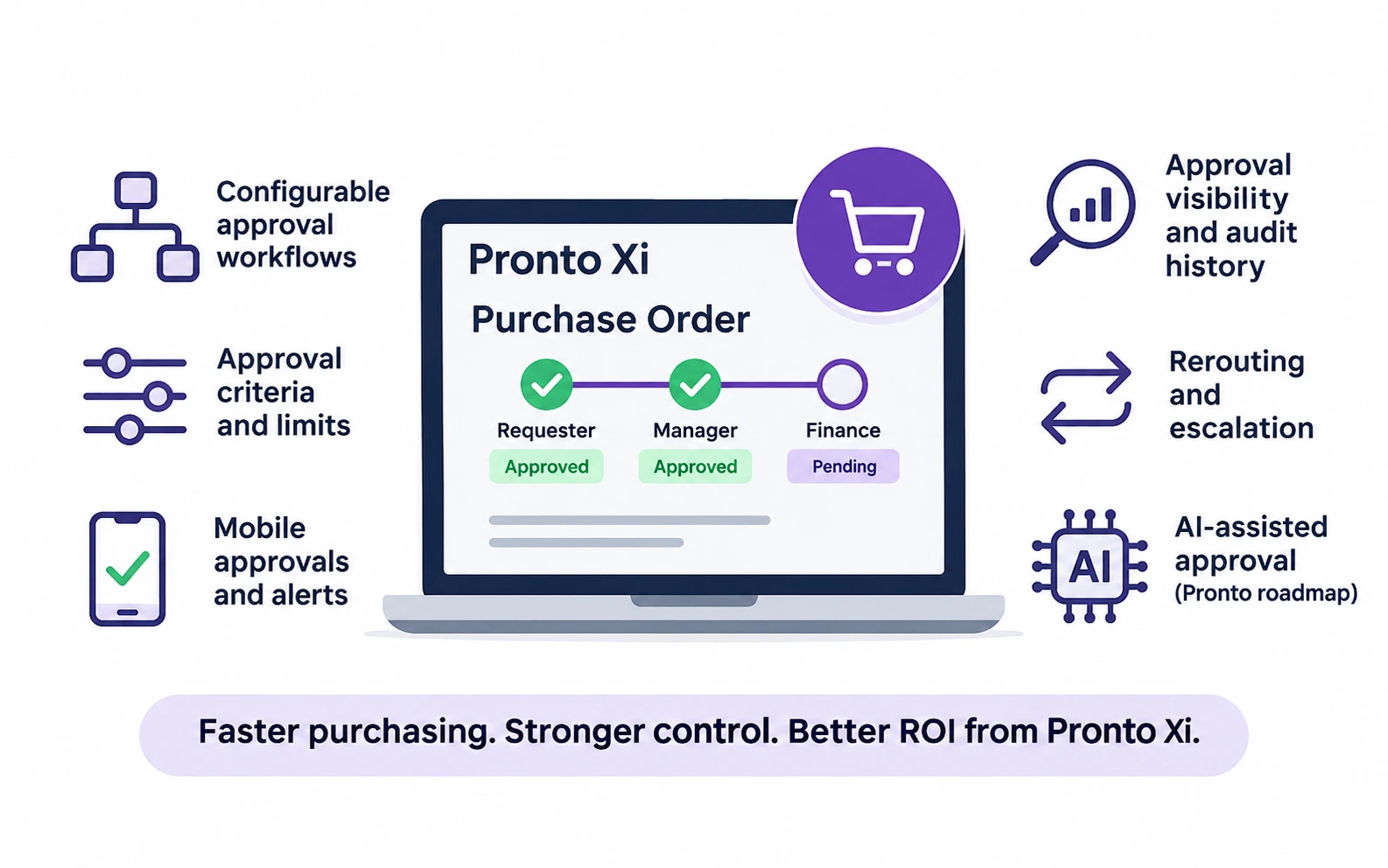
Pronto Xi provides invoice authorisation tracking, with approval conditions that can depend on factors such as supplier, transaction value or type of goods.
Pronto also documents integration with specialist third-party AP automation solutions through Pronto Connect.
These are Pronto Xi-specific capabilities.
The exact workflows, tolerances, approval limits, integrations and payment controls used by an organisation depend on its own Pronto Xi configuration.
What is eInvoicing?
Australian eInvoicing context
eInvoicing is the direct electronic exchange of structured invoice data between supplier and buyer systems.
It is not the same as emailing a PDF invoice.
Australia uses the Peppol framework, allowing organisations using different software to exchange standardised invoice data through the Peppol network.
Structured eInvoices can reduce manual data entry and some errors associated with extracting information from PDFs or paper invoices.
Pronto-specific capability
Pronto Xi documentation states that supplier eInvoices can be delivered electronically into Pronto Xi through an API and processed through supplier invoice functionality.
Conceptually, this changes the process from:
Supplier → Email/PDF → AP inbox → Read/re-key → ERP
to:
Supplier system → Structured eInvoice → Pronto Xi → Match/Validate/Approve
But eInvoicing solves only part of the problem.
AP automation and eInvoicing are not the same thing
The distinction matters when building a business case.
eInvoicing changes how structured invoice information arrives.
AP automation changes what happens to that invoice throughout the processing workflow.
A business can automate AP while still receiving PDFs.
A business can also receive eInvoices but retain inefficient approval and exception processes.
The strongest result comes from combining appropriate technologies with sound process design.
The five layers of AP automation
It is useful to separate AP automation into five layers.
1. Capture automation
How does invoice data enter the process?
Examples include:
- structured eInvoices;
- electronic invoice feeds;
- extraction from PDF invoices;
- manual entry.
The objective is to minimise unnecessary re-keying.
2. Matching automation
Can the invoice be automatically compared with:
- the supplier;
- purchase order;
- quantity ordered;
- goods received;
- agreed price;
- other relevant transaction data?
Pronto Xi supports purchase-order, invoice and shipment matching.
Matching is where many of the most valuable exceptions become visible.
3. Workflow automation
Once an invoice requires approval, can it automatically reach the correct person?
Pronto Xi provides invoice authorisation functionality, and approval conditions can be configured around factors such as supplier, transaction value or goods supplied.
The key measure is not merely whether the invoice entered the system quickly.
It is:
How long did it take from invoice receipt to approved-for-payment status?
4. Decision automation
Some invoices do not need human judgement.
Rules and tolerances can potentially determine whether a predictable transaction can proceed or requires intervention.
Examples of possible exceptions include:
- price outside tolerance;
- quantity mismatch;
- missing receipt;
- missing PO;
- incorrect supplier;
- tax issue.
The objective should not be to eliminate people from AP.
It should be to reserve people for transactions that genuinely require judgement.
5. Payment automation
Once an invoice is approved, payment processing may also be streamlined.
However, payment automation must remain subject to appropriate controls around:
- payment authority;
- supplier bank details;
- segregation of duties;
- payment-file approval and release.
Automation should strengthen control, not bypass it.
What is straight-through processing?
General AP guidance
Straight-through processing, or STP, means an invoice can move through the normal processing path with little or no manual intervention because the required data, matching and approval conditions are satisfied.
For example:
Valid supplier → valid PO → goods received → invoice within tolerance → appropriate approval → posting
An invoice with:
- no PO;
- quantity discrepancy;
- missing receipt;
- incorrect price;
- duplicate suspicion;
- tax problem
should become an exception instead.
The objective is therefore not:
100% automation
but:
maximum safe straight-through processing for predictable invoices, with rapid handling of genuine exceptions.
Why is STP important to AP automation ROI?
Time per invoice is useful, but it does not tell the whole story.
A more mature measure is:
What percentage of invoices require human intervention?
Suppose automation reduces data-entry time substantially but 40% of invoices still require manual investigation.
The organisation may have improved capture without fixing the underlying AP process.
A high STP rate generally depends on more than technology.
It requires:
- accurate supplier master data;
- strong PO discipline;
- timely receipting;
- appropriate tolerances;
- consistent coding;
- clear approval rules.
That is why AP transformation frequently becomes a procure-to-pay improvement program, rather than an Accounts Payable project alone.
Where do AP exceptions come from?
A useful exception taxonomy is:
| Exception | Likely area to investigate |
|---|---|
| Missing PO | Procurement discipline |
| Missing goods receipt | Receiving / operations |
| Price variance | Procurement / supplier |
| Quantity variance | Receiving / supplier |
| Duplicate suspicion | AP / supplier |
| Supplier mismatch | Master data |
| Tax issue | Finance / supplier |
| Coding issue | Finance / requester |
| Approval exception | Workflow / authority |
| Master-data problem | Supplier administration |
This matters because:
The highest-value AP improvement may not be processing invoices faster. It may be preventing invoices from becoming exceptions in the first place.
How does Pronto Xi integrate with specialist AP automation?
Pronto-specific capability
Pronto's Accounts Payable documentation describes integration with third-party AP automation through Pronto Connect.
Information such as supplier data, purchase orders, General Ledger codes, cost centres and tax information can be exchanged with an automation solution, with processed invoice information returned to Pronto Xi.
Pronto's solution-partner ecosystem also includes specialist AP automation and eInvoicing providers.
The resulting architecture may therefore combine:
Pronto Xi core AP + Pronto Connect + specialist AP automation + Peppol eInvoicing
depending on business requirements.
Organisations should confirm functionality, licensing and integration arrangements for their own Pronto Xi environment before selecting a solution.
Where does the financial ROI come from?
A weak AP automation business case says:
“We'll save time.”
A stronger one identifies exactly where economic value will be realised.
1. Lower manual processing effort
Manual AP can involve:
- receiving invoices;
- opening attachments;
- entering data;
- identifying purchase orders;
- coding expenditure;
- checking tax;
- routing for approval;
- following up;
- correcting errors;
- answering supplier queries.
Automation can remove or reduce some of this work.
The baseline should be measured using the organisation's own:
- invoice volume;
- minutes per invoice;
- staff cost;
- exception rate;
- rework.
Do not assume vendor or industry benchmark savings will automatically apply.
2. Capacity released
Suppose an organisation processes:
5,000 invoices per month
and average human effort falls from:
6 minutes to 3 minutes per invoice.
That releases:
5,000 × 3 minutes = 15,000 minutes
or approximately:
250 hours per month
But 250 hours saved does not automatically equal 250 hours of cash savings.
The business needs to determine whether the capacity will:
- reduce overtime;
- avoid new recruitment;
- eliminate contractor expenditure;
- support higher transaction volume;
- be redeployed to higher-value work.
3. Avoided future cost
Automation can create substantial value without reducing current headcount.
For example, invoice volumes may rise by 30% while Finance avoids hiring another AP employee.
That should be classified as:
avoided future cost
rather than an immediate expense reduction.
This distinction makes the business case more credible.
4. Faster approvals
Automation often moves the bottleneck from AP entry to management approval.
Measure:
Invoice receipt → approved for payment
and separately:
Time waiting for approval
If data capture takes minutes but approval takes seven days, capture is no longer the main problem.
5. Fewer errors and less rework
Structured invoice data and automated processing can reduce activities such as:
- correcting data-entry mistakes;
- investigating incorrect coding;
- fixing supplier records;
- reversing incorrect postings;
- resolving avoidable supplier queries.
The value should be calculated using actual rework volumes rather than assumed.
6. Fewer exceptions
Exception reduction is one of the most important AP automation outcomes.
Suppose an organisation processes 4,000 invoices per month.
If exceptions fall from:
30% → 15%
then:
600 fewer invoices per month
require manual investigation.
That can create more economic value than simply saving a few seconds entering every invoice.
7. Better payment timing
Faster processing gives Finance more control over when invoices are paid.
Potential benefits include:
- fewer late-payment problems;
- improved supplier relationships;
- better visibility of cash commitments;
- legitimate early-payment discounts where commercially attractive.
Earlier payment itself is not automatically a financial benefit.
The value exists only where payment timing produces a measurable economic or commercial improvement.
8. Stronger financial control
Automation can improve:
- approval traceability;
- consistency;
- auditability;
- visibility of invoice status;
- segregation of responsibilities.
These are important outcomes, but organisations should avoid assigning arbitrary financial values to risk reduction simply to inflate ROI.
eInvoicing ROI depends on supplier adoption
An eInvoicing platform creates little value if very few invoices arrive through it.
The relevant question is not:
How many suppliers use eInvoicing?
It is:
What percentage of invoice volume arrives electronically in structured form?
For example, onboarding 20 high-volume suppliers may have more impact than onboarding 200 suppliers that each send only a few invoices annually.
Useful measures include:
- percentage of suppliers enabled;
- percentage of invoice volume received as eInvoices;
- invoice value through eInvoicing;
- STP rate for eInvoices versus other channels.
Supplier onboarding should therefore form part of the implementation plan.
What about fraud?
eInvoicing can reduce reliance on emailed invoice attachments and may lower exposure to some forms of email-based invoice manipulation.
But eInvoicing does not eliminate:
- supplier-master fraud;
- unauthorised bank-detail changes;
- compromised supplier credentials;
- internal fraud;
- approval collusion;
- payment-file compromise.
Controls are still required around:
supplier creation → bank-detail changes → invoice approval → payment approval → payment release
A particularly important general control principle is:
The same person should not ordinarily be able to change supplier banking details, approve the associated invoice and release payment without appropriate independent control.
The exact segregation model will depend on the organisation.
What should be automated first?
High-volume and predictable invoices normally provide the best starting point.
| Invoice type | Typical automation potential |
|---|---|
| Structured eInvoice | Very high |
| Clean PO-backed invoice | Very high |
| Repetitive supplier invoice | High |
| Recurring invoice | High |
| Non-PO coded invoice | Medium |
| Complex project invoice | Medium |
| Frequently disputed invoice | Low until root cause improves |
| Poorly controlled transaction | Fix process first |
The principle is:
Automate predictable transactions. Use people for judgement and exceptions.
What should CFOs measure?
Establish a baseline before implementation.
| KPI | What it tells management |
|---|---|
| Invoice volume | Scale |
| Cost per invoice | Efficiency |
| Human minutes per invoice | Manual workload |
| Straight-through processing rate | Automation effectiveness |
| Exception rate | Process quality |
| PO-backed invoice rate | Procurement discipline |
| eInvoice share of invoice volume | Supplier digital adoption |
| Receipt-to-approval time | Workflow performance |
| Approval wait time | Management bottleneck |
| Rework/error rate | Processing quality |
| Duplicate rate | Financial control |
| Late-payment rate | Payment performance |
| Invoices per AP FTE | Capacity |
Do not optimise one KPI in isolation.
A faster process with more errors or weaker controls is not an improvement.
What does a mature AP process look like?
A mature AP operating model does not automate transactions simply because technology allows it.
It aims for:
- high PO compliance;
- reliable receipting;
- accurate supplier master data;
- high straight-through processing;
- low exception rates;
- minimal unnecessary manual touch;
- fast, controlled approval;
- low duplicate and rework rates;
- increasing structured eInvoice volume;
- clear segregation of duties;
- predictable payment timing.
The goal is:
Routine invoices flow efficiently. Exceptions receive attention quickly. Payment controls remain strong.
How should AP automation ROI be calculated?
Separate different benefit types.
Hard cost savings
Examples:
- reduced overtime;
- reduced contractor expenditure;
- lower document-processing cost;
- actual headcount reduction where appropriate.
Capacity released
Example:
2,400 AP hours per year redirected away from manual processing.
Do not automatically classify all released capacity as cash savings.
Avoided cost
Example:
Invoice growth absorbed without hiring another AP employee.
Transaction benefits
Examples may include:
- fewer duplicate payments;
- reduced late fees;
- reduced rework;
- early-payment discounts actually realised.
Risk and control benefits
Examples include:
- improved approval traceability;
- stronger segregation of duties;
- less dependence on email;
- improved auditability.
These should generally be shown separately from hard financial savings unless the organisation has a defensible method of valuing them.
Apply a benefit-realisation factor
A business case should not assume that every theoretical hour saved becomes economic value.
Suppose automation theoretically releases:
2,400 hours per year.
If Finance determines that only 60% can realistically be converted into avoided recruitment, overtime reduction or productive redeployment, model:
1,440 realisable hours
rather than claiming the full theoretical saving.
Apply the same discipline to:
- automation rates;
- supplier eInvoicing adoption;
- exception reduction;
- approval improvements.
Value the benefit that can realistically be realised, not the maximum technically possible benefit.
Avoid double-counting
Suppose released AP capacity avoids hiring one additional employee.
Do not claim:
$90,000 avoided employee cost
and then separately claim:
2,000 labour hours × hourly rate
if both represent the same economic capacity.
Each material benefit should have:
Baseline → Driver → Calculation → Realisation factor → Owner
Include implementation costs and disbenefits
A credible business case should also recognise the cost of getting there.
Potential costs include:
- software and licensing;
- Pronto integration;
- implementation;
- configuration;
- testing;
- supplier onboarding;
- workflow redesign;
- data cleanup;
- staff training;
- parallel processing;
- internal project time;
- ongoing support.
There may also be temporary disruption while staff learn new processes and exception rules stabilise.
Ignoring these costs makes ROI look better on paper but less credible to decision-makers.
Why do AP automation projects fail?
Automating weak PO discipline
If invoices frequently arrive without valid purchase orders, automation simply creates exceptions faster.
Fix the upstream process.
Ignoring receipting
A valid PO is insufficient if goods or services are not recorded as received accurately and promptly.
Treating OCR as AP transformation
Extracting fields from a PDF solves data capture.
It does not automatically solve:
- matching;
- approval;
- exception management;
- posting;
- payment control.
Ignoring non-PO invoices
Not all invoices have purchase orders.
Pronto Xi supports non-PO supplier invoices allocated directly to relevant GL accounts, so automation design needs appropriate processes for both transaction types.
Automating exceptions rather than eliminating them
If a large percentage of invoices need manual intervention, first identify why.
The root cause may sit in:
- Procurement;
- Receiving;
- supplier behaviour;
- master data;
- approval design.
Treating AP as a Finance-only process
Many AP problems originate before Finance sees the invoice.
The real process begins with:
Requisition → PO → Receipt
That is why AP improvement should often be managed as procure-to-pay transformation.
A practical Pronto Xi procure-to-pay diagnostic
Trace a representative sample of invoices through the current process.
| Step | Key question |
|---|---|
| 1. Requisition | Was the purchase properly initiated? |
| 2. PO | Was a valid PO created? |
| 3. Receipt | Were goods/services recorded correctly? |
| 4. Invoice receipt | How did the invoice arrive? |
| 5. Capture | Was information manually entered? |
| 6. Match | Did PO, receipt and invoice agree? |
| 7. Exception | Why was human intervention required? |
| 8. Approval | Who approved it and how long did it wait? |
| 9. Posting | Did it enter Pronto Xi correctly? |
| 10. Payment | Who selected, approved and released payment? |
| 11. Reconciliation | Was completion verified? |
Then quantify:
- volume;
- time;
- exception frequency;
- rework;
- control points.
That reveals where the real ROI opportunity sits.
Need Pronto Xi Financials or integration expertise to run this diagnostic? Talk to SAAPRO.
A 90-day AP improvement approach
Days 1–30: Establish the baseline
Measure:
- invoice volumes;
- invoice channels;
- PO vs non-PO mix;
- processing effort;
- STP rate;
- exception rate;
- approval delays;
- rework;
- eInvoice penetration.
Map what actually happens, not merely what the documented procedure says should happen.
Days 31–60: Fix upstream problems
Investigate:
- missing POs;
- poor receipting;
- supplier-data errors;
- approval bottlenecks;
- recurring price or quantity variances;
- unnecessary manual coding.
Define what should become straight-through and what should remain subject to human review.
Days 61–90: Pilot
Choose a predictable population such as:
- high-volume suppliers;
- clean PO-backed invoices;
- suppliers capable of Peppol eInvoicing.
Compare performance with the original baseline.
Measure:
- STP;
- exception rate;
- manual effort;
- approval time;
- processing cost;
- control effectiveness.
Where SAAPRO fits
AP automation initiatives can expose capability gaps across Finance, Procurement, Pronto Xi and integration.
Depending on the root cause, an organisation may require a Pronto Xi Financials Functional Consultant, Business Analyst, Application Analyst, integration specialist, reporting specialist or ERP Manager.
SAAPRO specialises in the Pronto Xi talent market and can help organisations identify the specialist capability required to support Pronto Xi improvement and automation initiatives. Contact SAAPRO to discuss your requirement.
Disclosure: SAAPRO is an independent Pronto Xi recruitment specialist and is not Pronto Software or an ecommerce implementation vendor.
Frequently Asked Questions
Yes. Pronto Xi Accounts Payable supports supplier invoice processing, PO matching, invoice authorisation and payment processes. Pronto also documents integration with third-party AP automation solutions through Pronto Connect.
Pronto Xi documentation states that supplier eInvoices can be delivered electronically through an API and processed through supplier invoice functionality. Organisations should confirm the available configuration and integration applicable to their Pronto Xi environment.
No. Peppol eInvoicing exchanges structured invoice data directly between supplier and buyer systems. An emailed PDF remains an unstructured document that generally requires data extraction or manual entry.
eInvoicing primarily changes how structured invoice information is exchanged. AP automation can extend across capture, matching, exception handling, approvals, posting and payment processes.
Straight-through processing means a qualifying invoice can move through the standard processing path with little or no manual intervention because supplier, PO, receipt, matching and approval conditions are satisfied.
High-volume, predictable, low-exception invoices, particularly structured eInvoices and clean PO-backed invoices, are generally strong candidates. Persistent process problems should be fixed before they are automated.
Separate hard savings, capacity released, avoided future cost, transaction benefits and risk improvements. Apply realistic benefit-realisation assumptions and include software, integration, implementation, supplier onboarding, internal effort and ongoing support costs.
Key Takeaways
- ✓The central question is not “Can we automatically enter invoices into Pronto Xi?” It is “How much of our procure-to-pay process can operate accurately with minimal human intervention while making exceptions, approvals and payment controls more visible?”
- ✓Pronto Xi provides core capability across Accounts Payable, Purchasing, invoice matching, authorisation, payments and financial integration, with options to integrate specialist automation and eInvoicing services.
- ✓Focus on PO discipline → Receipt accuracy → Structured invoice capture → Matching → Straight-through processing → Exceptions → Approval → Payment → Control.
- ✓The strongest AP operating model is not simply paperless. It is one where routine invoices flow automatically, exceptions are resolved quickly, Finance understands upcoming cash commitments and payment controls remain strong.