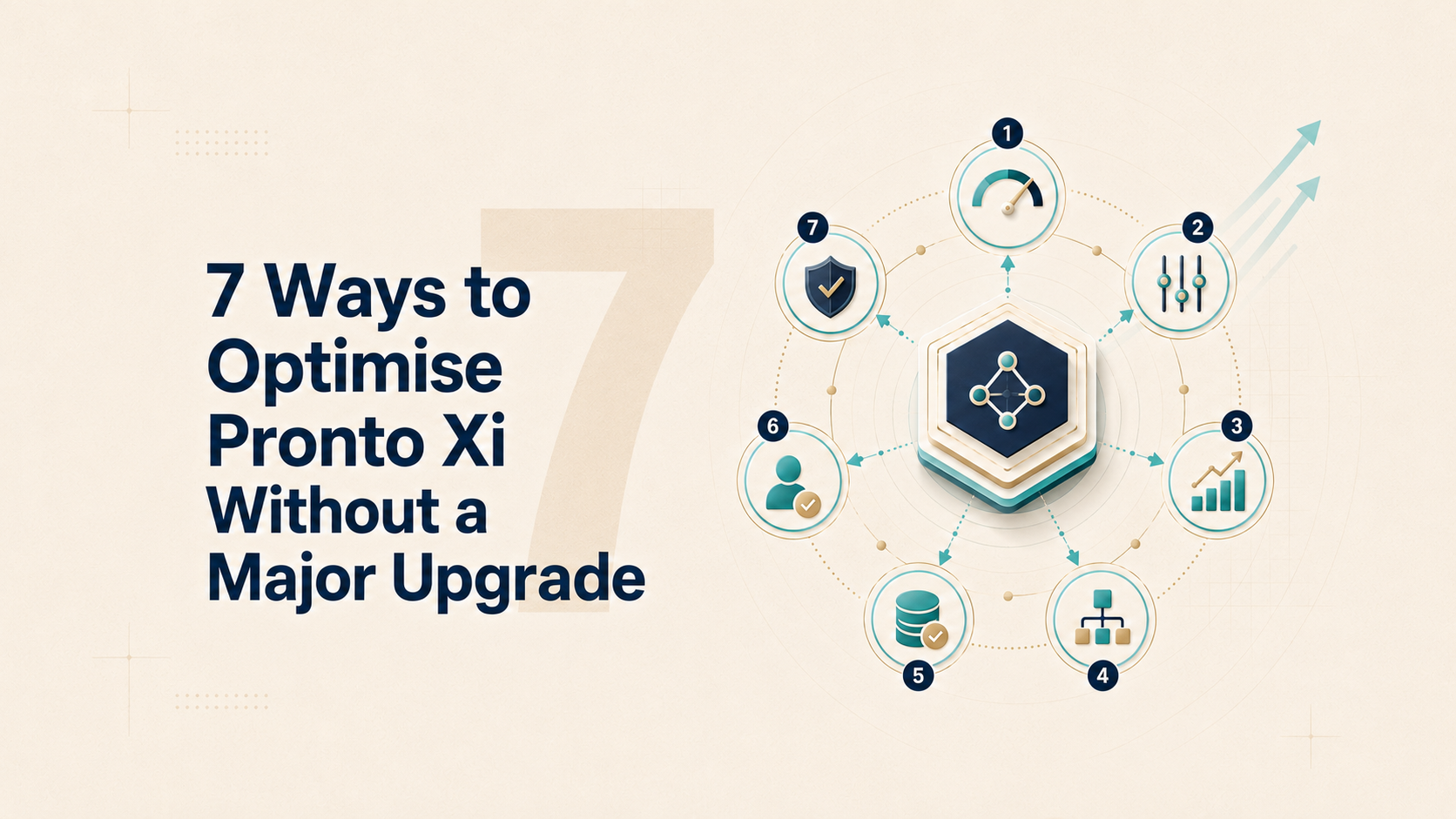
7 Ways to Optimise Pronto Xi Without a Major Upgrade
A practical guide to improving Pronto Xi performance through better data, processes, reporting, integrations, customisation management and system ownership, before committing to a major upgrade.
A major upgrade can introduce valuable new capability. But it cannot repair poor data, inefficient processes, weak ownership or years of accumulated workarounds.
If those problems are carried forward, the business may spend heavily and reproduce the same issues on a newer version.
That is why an underperforming Pronto Xi environment should not automatically trigger an upgrade project.
The first question should be:
Is the current version genuinely limiting the business, or is value being lost through the way the existing system is configured, governed and used?
In many established Pronto Xi environments, the largest performance gaps are caused by:
- Unreliable master data
- Outdated system parameters
- Manual workarounds
- Underused reporting
- Fragile integrations
- Obsolete customisations
- Inconsistent user capability
- Unclear system and process ownership
These issues accumulate gradually. One spreadsheet becomes a permanent reporting process. One manual correction becomes part of someone’s daily routine. One failed interface creates a weekly workaround. One historical exception becomes a business rule that nobody challenges.
Optimisation is not an argument for remaining indefinitely on an unsupported, insecure or strategically limiting version.
It is a way to avoid carrying unnecessary complexity into the next release, and to ensure any future upgrade is driven by genuine business needs rather than problems the current software may not have caused.
The exact opportunities will depend on the installed version, licensed modules, customisations and surrounding technology environment. However, the following seven areas provide a practical starting point.
1. Diagnose Value Leakage Before Reviewing New Features
The wrong starting question is:
What new functionality could we add?
The better question is:
Where is the current environment creating avoidable cost, delay, risk or manual work?
Begin with processes that materially affect cash flow, margin, customer service and operating capacity.
Look for symptoms such as:
- Lengthy month-end close
- Frequent stock adjustments
- Manual order corrections
- Pricing or promotion errors
- Repeated data entry
- Slow purchasing approvals
- Backorders caused by poor planning data
- Management reports assembled manually
- Failed or delayed integrations
- High volumes of recurring support requests
- Employees working outside Pronto Xi
- Processes dependent on one experienced employee
Avoid relying on broad comments such as “Pronto is difficult” or “the system is too old.”
Translate complaints into measurable friction.
| Friction Point | Current Impact | Optimisation Target |
|---|---|---|
| Manual sales-order corrections | 250 per month | Reduce by 70% |
| Month-end close | 9 business days | Reduce to 5 days |
| Management reporting preparation | 60 hours per month | Reduce to 15 hours |
| Failed integration transactions | 100 per week | Fewer than 10 |
This creates an optimisation backlog based on evidence rather than opinion.
Prioritise each issue according to:
- Financial impact
- Operational risk
- Customer impact
- Frequency
- Effort to resolve
- Dependency on other changes
A small parameter change affecting thousands of monthly transactions may create more value than a visible new feature used by a handful of employees.
Executive test: Can the business identify its five largest sources of Pronto-related value leakage?
2. Repair Master Data and Configuration
ERP performance is heavily influenced by the quality of the data and parameters driving each process.
Common areas requiring review include:
- Customer and supplier records
- Product status
- Units of measure
- Product hierarchies
- Supplier lead times
- Minimum order quantities
- Reorder points
- Safety stock
- Warehouse locations
- Pricing and discount structures
- Credit and payment terms
- General ledger mappings
- Costing rules
- Approval authorities
- User roles and permissions
Consider inventory.
A business may blame Pronto Xi for excess stock or frequent shortages when the real issue is inaccurate lead times, obsolete items, incorrect reorder settings or inconsistent units of measure.
The ERP will process poor data more consistently. It will not make the data correct.
Before introducing further automation, assign a named business owner to each critical data domain.
For example:
-
Finance owns financial mappings and accounting structures.
-
Supply chain owns replenishment and supplier parameters.
-
Sales owns pricing, discounts and customer classifications.
-
Operations owns warehouse, location and product-status data.
-
IT owns technical integrity and integration controls.
Create exception reporting for issues such as:
- Duplicate customers or suppliers
- Inactive products with stock
- Missing or unrealistic lead times
- Invalid units of measure
- Obsolete warehouse locations
- Customers with inappropriate terms
- Unexpected pricing outcomes
- Users with excessive access
Data quality should become an ongoing management control, not a cleansing exercise completed once every few years.
Red flag: The business wants better forecasting or automation but cannot identify who owns the data driving the process.
3. Simplify Processes Before Automating Them
Established Pronto Xi environments often contain years of accumulated workarounds.
Some were introduced for legitimate reasons. Others may reflect:
- Limitations in former systems
- Outdated policies
- Previous organisational structures
- One-off customer requirements
- Historical customisations
- Employee preference
- Processes nobody has reviewed recently
Before modifying the software, map the highest-volume end-to-end processes:
- Order to cash
- Procure to pay
- Forecast to replenish
- Inventory to dispatch
- Record to report
- Quote to order
- Service request to completion
For each process, ask:
- Which steps genuinely add value?
- Which steps exist only because of historical practice?
- Where is information re-entered?
- Where do employees leave Pronto Xi and use email or spreadsheets?
- Which exceptions occur repeatedly?
- Which approvals no longer reflect current authority?
- Which settings are creating unnecessary work?
Optimisation may involve:
- Removing duplicate approvals
- Correcting default values
- Updating delegation limits
- Simplifying pricing rules
- Standardising transaction procedures
- Improving exception handling
- Eliminating duplicate data entry
- Retiring an outdated workaround
Do not begin by automating the current process.
Automating a poor process does not remove inefficiency. It institutionalises it.
Some processes will still justify customisation or workflow development. But first determine whether the underlying process is necessary, stable and appropriately controlled.
Executive test: Which current procedures would the business choose not to recreate if it were designing them today?
4. Turn Reporting Into a Management System
Many businesses have large numbers of reports but limited management insight.
Typical symptoms include:
- Multiple versions of the same KPI
- Reports that are produced but rarely used
- Data exported to Excel before it can be analysed
- Management packs assembled manually
- Different departments using different definitions
- Reports identifying problems too late
- Dependence on one Cognos or reporting specialist
The objective is not to create more dashboards.
It is to improve the decisions managers make.
For every recurring report or KPI, define:
- Who uses it?
- Which decision does it support?
- How frequently is that decision made?
- What action should occur when performance is outside tolerance?
- Is the data current enough?
- Is there one agreed definition?
- Can the user move from the summary to the underlying cause?
An inventory dashboard should do more than show total stock value. It might highlight:
- Slow-moving inventory
- Products below safety stock
- Excess stock by warehouse
- Items without recent demand
- Supplier lead-time variance
- Stock affected by unreliable parameters
A sales dashboard should do more than show revenue. It might expose:
- Margin erosion
- Discount leakage
- Order corrections
- Customer concentration
- Backorder trends
- Returns
- Performance by product, channel or branch
Classify existing reports as:
- Critical management reports
- Operational exception reports
- Statutory or compliance reports
- Useful on-demand analysis
- Duplicated or obsolete reports
Before retiring a report, confirm that it does not support a hidden audit, compliance, customer or month-end requirement.
The aim is not to eliminate spreadsheets completely. It is to stop them operating as uncontrolled parallel systems for recurring business processes.
Red flag: Executives receive more reports than before but still cannot identify problems early enough to act.
5. Stabilise Integrations and Exception Handling
Pronto Xi may exchange information with:
- E-commerce platforms
- EDI networks
- Warehouse systems
- Freight providers
- Banking applications
- Payroll
- Customer portals
- CRM platforms
- Business intelligence tools
- Mobile or industry-specific applications
Many integrations work well under normal conditions but fail badly when something unexpected occurs.
The important questions are:
- Who owns each interface?
- How is failure detected?
- Who receives the alert?
- Can transactions be retried safely?
- How are duplicates prevented?
- What happens if one system is unavailable?
- Can users identify incomplete or rejected transactions?
- Is the interface documented?
- Is a manual workaround still required?
Create an integration register showing:
-
Business purpose
-
Business and technical owner
-
Source and destination
-
Data transferred
-
Frequency
-
Transaction volume
-
Failure-detection method
-
Recovery process
-
Known issues
-
Support dependency
Then prioritise the interfaces creating the greatest operational risk or manual effort.
The answer may not require a full replacement. Better validation, monitoring, alerts and recovery procedures may produce substantial value with less disruption.
An interface is not complete merely because data passes successfully under ideal conditions.
Executive test: How quickly would the business know that customer orders, stock movements or financial transactions had stopped flowing?
6. Rationalise Customisation and Technical Debt
An established Pronto Xi environment may include:
- 4GL modifications
- Custom reports
- Forms
- Scripts
- Interfaces
- Special pricing logic
- Bespoke approvals
- Legacy database extracts
- Changes developed for former customers or business models
Some remain critical. Others may no longer serve a meaningful purpose.
Every custom component creates an asset that must be:
- Understood
- Documented
- Supported
- Tested
- Secured
- Considered during future upgrades
Create a complete customisation register and classify each item as:
- Retain
- Simplify
- Replace with standard functionality
- Refactor
- Retire
- Investigate
For each material item, document:
- Original business purpose
- Current owner
- Frequency of use
- Affected processes
- Support dependency
- Integration impact
- Known defects
- Testing requirements
- Future-version implications
Before removing anything, validate hidden dependencies and complete appropriate regression testing.
For new requests, apply the VALUE test:
V — Value
What measurable business outcome will it create?
A — Adoption
Will users apply it consistently?
L — Lifecycle cost
What will it cost to support, test and upgrade?
U — Uncertainty
What operational, financial or security risk could it introduce?
E — Evidence
How will the business verify that it works?
The objective is not to eliminate all customisation.
It is to ensure each custom component continues to justify its cost and risk.
A cleaner environment will also reduce the complexity of a future upgrade.
Red flag: Critical modifications are poorly documented or understood by only one employee or external consultant.
7. Rebuild Ownership and Continuous Improvement
ERP optimisation is not a one-off project.
Without clear ownership, the environment will gradually return to the same condition:
- Data quality declines
- Workarounds reappear
- Reports multiply
- Integrations become fragile
- Customisations accumulate
- Training knowledge disappears
- Improvement requests remain unresolved
The organisation needs a lightweight operating model for continuous improvement.
This may include:
- A named Pronto Xi system owner
- Business process owners
- Trained super-users
- A monthly optimisation forum
- A prioritised improvement backlog
- Data-quality accountability
- Documented change control
- Regular security and access reviews
- Version and release planning
- Benefits tracking
The monthly forum should review:
- Recurring support issues
- Data exceptions
- Manual workarounds
- Failed integrations
- Report usage
- Process performance
- Enhancement requests
- Customisation risk
- Training needs
- Benefits delivered
Requests should be prioritised according to value, risk and effort, not the seniority or persistence of the person making the request.
Training should focus on real roles and processes rather than generic system navigation.
Internal Pronto Xi capability is not merely a staffing requirement.
It is part of the organisation’s operational control environment.
Optimising the current system also does not mean remaining indefinitely on the same version. A well-managed environment with cleaner data, fewer unnecessary customisations, documented interfaces and stronger testing, will be easier and less risky to upgrade when the commercial case is clear.
Executive test: Is Pronto Xi managed as a continuously improving business platform—or as software that receives attention only when something breaks?
Where to Start
A practical optimisation review should produce three outputs:
1. A Quantified Value-Leakage Register
Identify where the current environment is creating avoidable cost, risk or manual work.
2. A Prioritised Improvement Backlog
Separate quick wins from foundational changes and genuine version limitations.
3. A Sustainable Ownership Model
Assign responsibility for data, processes, integrations, reporting, security and ongoing improvement.
A useful first phase might target improvements such as:
- Correcting high-impact master-data issues
- Updating outdated parameters
- Simplifying one or two high-volume workflows
- Improving integration monitoring
- Rationalising duplicate reports
- Retraining users in recurring problem areas
- Removing an obsolete customisation
- Establishing clear process and system ownership
The objective is to demonstrate measurable improvement—not to create a long list of theoretical opportunities.
Six Questions Executives Should Ask
CFOs, CIOs, COOs and operational leaders should ask:
- Which problems are caused by genuine version limitations?
- Which problems are caused by data, configuration, process or adoption?
- Where are employees working outside Pronto Xi, and why?
- Which reports, integrations and customisations no longer create value?
- What measurable improvements could be delivered without a major upgrade?
- What internal capability is required to sustain those improvements?
These questions help separate a technology constraint from an operating-model problem.
Final Perspective
A major upgrade can provide valuable functionality.
But it cannot repair an unmanaged ERP environment.
If weak data, historical workarounds, fragile integrations and unclear ownership are carried forward, the organisation may reproduce the same problems at greater cost.
Optimise first.
Then upgrade for the limitations that remain—not for problems the current system was never responsible for.
The objective is not to avoid upgrading indefinitely.
It is to extract more value from the Pronto Xi environment the business already owns, reduce the risk and complexity of future change, and ensure the next major investment is supported by evidence rather than assumption.
Frequently Asked Questions
Yes. Many performance problems are caused by poor master data, outdated configuration, manual workarounds, weak reporting, unstable integrations or unclear ownership rather than genuine software limitations. Addressing these issues can create substantial value without immediately undertaking a major upgrade.
An upgrade may be necessary when the installed version is unsupported, insecure, incompatible with critical technology, unable to meet regulatory requirements or missing functionality essential to the organisation’s strategy. The decision should be based on verified limitations and a clear business case.
The review should begin with measurable value leakage. This includes avoidable cost, processing delays, recurring errors, manual effort, customer-service issues, reporting inefficiency and operational risk.
Master data and system parameters drive inventory, pricing, purchasing, sales, finance and reporting processes. Incorrect lead times, product settings, units of measure, credit terms or accounting mappings can cause the ERP to process inaccurate information consistently.
Not immediately. Automating an inefficient process can embed unnecessary steps, duplicate approvals and weak controls. The process should first be simplified, standardised and assigned clear ownership.
Organisations should document each interface, assign business and technical owners, monitor failures, alert responsible users, prevent duplicate transactions and establish safe recovery procedures.
Each customisation should have a documented purpose, owner, usage level, support requirement, risk profile and future-version impact. It should then be classified for retention, simplification, replacement, refactoring, retirement or further investigation.
Sustainable optimisation requires a named system owner, business process owners, trained super-users, regular governance meetings, data-quality controls, documented change management and a prioritised improvement backlog.
Key Takeaways
- ✓Diagnose measurable value leakage before reviewing new functionality.
- ✓Repair master data and system configuration before introducing more automation.
- ✓Simplify inefficient processes before embedding them in workflows or customisations.
- ✓Design reporting around management decisions, actions and exceptions.
- ✓Strengthen integration monitoring, ownership and recovery procedures.
- ✓Rationalise obsolete customisations and accumulated technical debt.
- ✓Establish clear ownership and a continuous-improvement operating model.
- ✓Optimise the current environment first, then upgrade only for genuine version limitations.