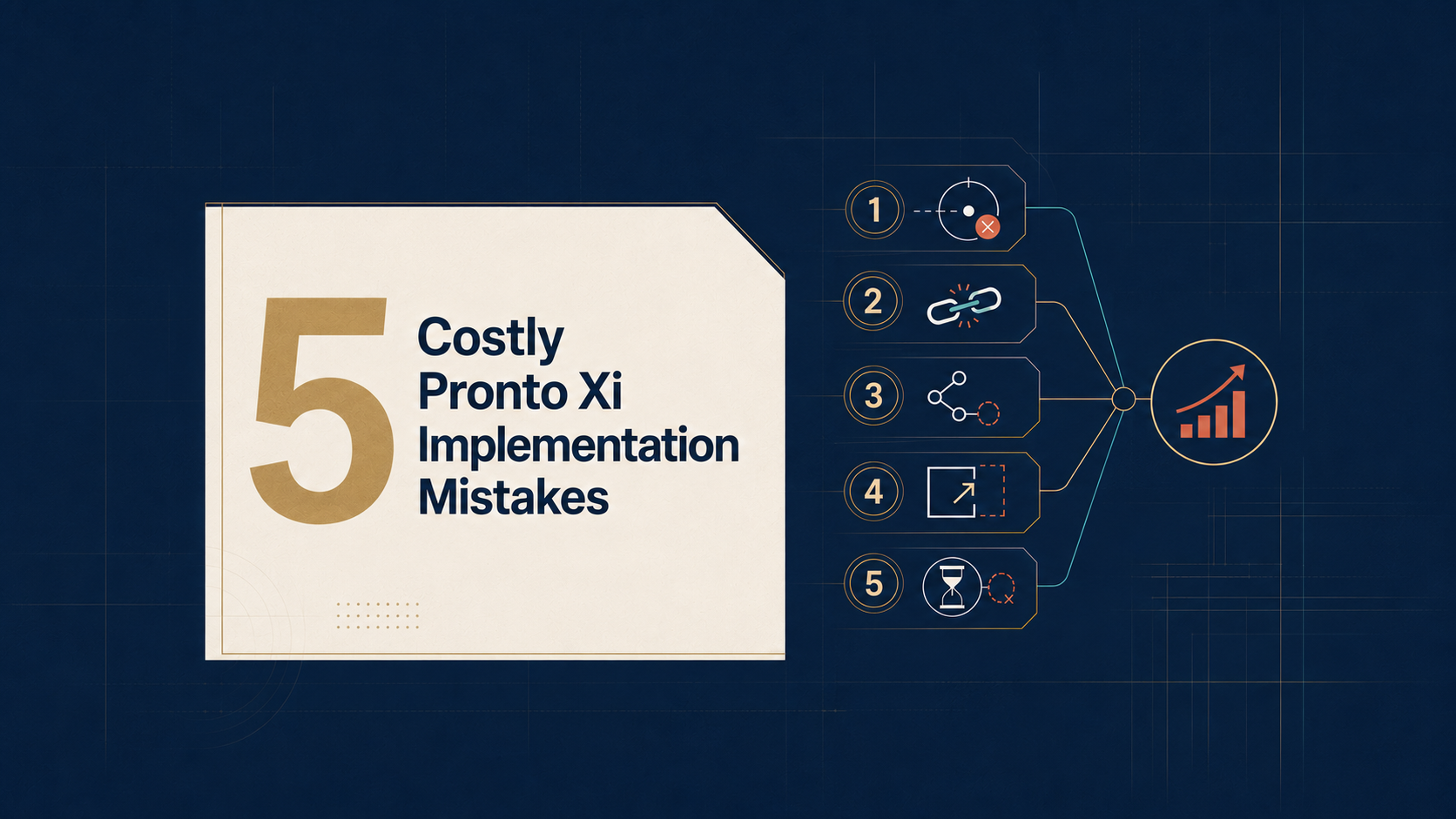
5 Costly Pronto Xi Implementation Mistakes, and How to Avoid Them
Many Pronto Xi implementations fail not because of a single major mistake, but because of dozens of small decisions that accumulate into significant cost, delays, and operational risk. This guide explores the five most common implementation mistakes and provides practical strategies for improving ERP success, reducing risk, and maximizing ROI.
Pronto Xi implementations rarely go wrong because of one catastrophic decision.
They go wrong through hundreds of smaller decisions that appear reasonable at the time.
One more customisation.
One unresolved data issue.
One process owner who is too busy to participate.
One integration tested only under ideal conditions.
One historical workaround carried into the new system without being challenged.
Individually, these decisions may seem manageable. Collectively, they increase cost, delay benefits and create technical and operational risk that can remain with the business for years.
This matters because Pronto Xi often sits at the centre of a mid-sized organisation’s operations, connecting finance, inventory, purchasing, pricing, sales orders, warehousing, manufacturing, service delivery, reporting and third-party systems.
A weakness in one area can quickly affect the rest of the business.
The best defence is not more project administration. It is disciplined commercial decision-making, supported by capable internal people who understand both Pronto Xi and the business it must serve.
Here are five of the most common and costly mistakes.
1. Treating the implementation as a technology replacement
A project objective such as “replace the existing ERP with Pronto Xi” is not a business case.
It describes an activity.
A successful implementation should begin with a small number of measurable business problems, such as:
-
Excess or unreliable inventory
-
Slow month-end close
-
Pricing and promotion errors
-
Manual order processing
-
Duplicate data entry
-
Weak purchasing controls
-
Poor visibility across branches or warehouses
-
Disconnected ecommerce, EDI or warehouse systems
-
Heavy reliance on spreadsheets
-
Inconsistent reporting or margin analysis
Each expected benefit should have:
-
A current baseline
-
A target outcome
-
An accountable owner
-
A measurement method
-
A timeframe for delivery
| Business Outcome | Current Position | Target |
|---|---|---|
| Month-end close | 10 business days | 5 business days |
| Inventory accuracy | 93% | Above 98% |
| Manual order corrections | 300 per month | Fewer than 75 |
| Purchase approval time | 3 days | Less than 1 day |
This changes the definition of success.
Instead of asking:
Did Pronto Xi go live on time?
leaders can ask:
Did the implementation release cash, improve margin, reduce risk or create additional operating capacity?
A system can be technically live while warehouse teams still distrust inventory, finance still relies on manual reconciliations and managers continue using private spreadsheets.
How to avoid it
Create a benefits register before detailed design begins.
For every major benefit, document:
-
The problem being solved
-
The expected financial or operational value
-
The behaviour or process that must change
-
The accountable executive
-
The evidence required to confirm success
Do not approve substantial scope unless it supports a measurable outcome, an essential control or a regulatory requirement.
Executive test: Can every major workstream explain which business outcome it is expected to improve?
2. Recreating the old business through unnecessary customisation
Discovery workshops must examine how the business currently operates.
But the current process should not automatically become the future process.
Existing procedures may contain:
-
Historical workarounds
-
Duplicate approvals
-
Manual reconciliations
-
Unnecessary spreadsheets
-
Exceptions that gradually became standard practice
-
Steps designed around limitations in the previous system
If these practices are converted directly into requirements, the organisation may spend heavily to reproduce the very problems it intended to remove.
The question should not be:
Can Pronto Xi work exactly the way our old system worked?
It should be:
Why does the business need to continue working this way?
Consider pricing and promotions.
A request to preserve or recalculate a discount after an order amendment may appear small. Yet it could affect:
-
Customer agreements
-
Discount hierarchies
-
Rebates
-
Ecommerce orders
-
EDI transactions
-
Credit notes
-
Margin reporting
-
Approval controls
The development effort may be modest. The lifecycle impact may not be.
A customisation that costs $10,000 to build is not necessarily a $10,000 decision.
Its true cost also includes:
-
Documentation
-
Regression testing
-
Support
-
Specialist dependency
-
Integration complexity
-
Future upgrade effort
-
The risk of unintended consequences
Before approving a material customisation, apply the VALUE test:
V — Value
What measurable commercial outcome will it create?
A — Adoption
Will users follow the resulting process consistently?
L — Lifecycle cost
What will it cost to support, test and upgrade?
U — Uncertainty
What operational, financial or security risk could it introduce?
E — Evidence
How will the business prove that it works?
How to avoid it
Classify each major requirement as:
-
Statutory or regulatory
-
Commercially differentiating
-
Operationally essential
-
Historical preference
The first three may justify configuration or customisation.
The fourth should be challenged.
Maintain a customisation register showing:
-
Business justification
-
Executive owner
-
Initial cost
-
Affected processes
-
Dependencies
-
Testing requirements
-
Support owner
-
Upgrade implications
Customisation should be treated as an investment decision, not as a workshop preference.
Red flag: Users explain a requirement with “we have always done it this way” but cannot identify the commercial value of retaining it.
3. Allowing IT or the implementation partner to own business decisions
Pronto Xi may be delivered with technical leadership from IT and significant input from specialist consultants.
However, neither should own the business operating model.
Finance should own decisions affecting:
-
Chart of accounts
-
Financial controls
-
Costing
-
Taxation
-
Reconciliations
-
Delegations
-
Management reporting
Operations should own:
-
Inventory
-
Purchasing
-
Warehousing
-
Manufacturing
-
Distribution
-
Fulfilment
-
Service delivery
Sales and customer service should own:
-
Pricing
-
Promotions
-
Quotations
-
Sales orders
-
Returns
-
Customer workflows
IT should own:
-
Architecture
-
Environments
-
Integrations
-
Security
-
Availability
-
Recovery
-
Technical supportability
The implementation partner should advise on Pronto Xi, identify options and recommend leading practices.
It should not be expected to resolve unresolved commercial disagreements on behalf of the client.
A useful governing principle is:
The implementation team configures the system, but the business owns the operating model.
Without clear ownership, important decisions are delayed, workshops are repeated and compromises are made simply to keep the project moving.
The result is often higher consulting cost and weaker adoption.
How to avoid it
Appoint a named business owner for each end-to-end process, such as:
-
Order to cash
-
Procure to pay
-
Forecast to replenish
-
Inventory to dispatch
-
Record to report
-
Service request to completion
Define who has authority to:
-
Approve process design
-
Authorise customisation
-
Resolve cross-functional disagreement
-
Accept migrated data
-
Approve security roles
-
Sign off user acceptance testing
-
Make the final go-live decision
Where several functions are involved, one executive must have authority to make the final call.
Executive test: When finance, operations and sales disagree, is it clear who decides—and how quickly?
4. Treating data, integrations and testing as technical workstreams
Technology can move data.
It cannot decide whether the data is accurate, current, duplicated or commercially useful.
Business owners must determine:
-
Which customers and suppliers remain active
-
Which products should be migrated
-
How much transaction history is genuinely required
-
Which system is authoritative
-
How units of measure should be standardised
-
Which warehouse and replenishment parameters are reliable
-
How opening balances and inventory values will be reconciled
-
Which reports and spreadsheets should be retired
A distributor may configure purchasing correctly and still increase inventory if supplier lead times, reorder points, minimum quantities, product status or units of measure are wrong.
The ERP will process poor data more consistently.
It will not make the data correct.
The same principle applies to integrations involving:
-
Ecommerce
-
EDI
-
Warehouse systems
-
Freight providers
-
Payroll
-
Banking platforms
-
Customer portals
-
CRM
-
Cognos, Phocas or Power BI
An interface is not complete because data can pass between two systems under normal conditions.
The business must know what happens when data is:
-
Late
-
Duplicated
-
Incomplete
-
Rejected
-
Incorrectly mapped
-
Sent while another system is unavailable
Testing must also move beyond individual screens.
A sales order may work.
A warehouse pick may work.
An invoice may work.
But has the entire process been tested when stock is unavailable, pricing changes or an integration fails?
Critical scenarios should be tested end to end:
Customer order → pricing → credit check → allocation → picking → dispatch → invoice → payment or return
Demand → requisition → approval → purchase order → receipt → invoice matching → payment → financial reporting
Include realistic exceptions:
-
Partial deliveries
-
Backorders
-
Returns and damaged stock
-
Pricing or promotion changes
-
Supplier invoice discrepancies
-
Orders exceeding approval limits
-
Failed EDI or ecommerce messages
-
Incorrect user permissions
-
Reversals and corrections
-
Month-end transactions in progress
-
Network or warehouse interruptions
User acceptance testing should be completed by capable business representatives using documented scenarios and expected results.
It should not be a consultant-led demonstration showing that a screen opens and a transaction can be entered.
How to avoid it
Run multiple migration, integration and cutover rehearsals.
For every critical process, confirm:
- Can users complete it?
- Does it produce the correct operational result?
- Does it produce the correct accounting result?
- Do permissions and approvals work?
- Can the business identify and recover from failure?
- Can it operate at realistic transaction volumes?
Red flag: The project reports that interfaces have “passed testing” but cannot explain how failures will be detected and recovered.
5. Under-resourcing the client team and declaring victory at go-live
The employees with the most valuable implementation knowledge are often also the people most heavily relied upon in daily operations.
They understand:
-
Process exceptions
-
Customer commitments
-
Financial controls
-
Data weaknesses
-
Informal workarounds
-
Operational dependencies
Yet many organisations expect them to participate in the implementation while maintaining their full existing workload.
The predictable result is:
-
Delayed decisions
-
Incomplete requirements
-
Weak testing
-
Poor documentation
-
Repeated workshops
-
Greater consultant dependency
Temporary backfilling may appear expensive.
It is often cheaper than allowing poor design decisions to reach production.
The client should also govern the implementation partner actively through:
-
Clear deliverables
-
Defined acceptance criteria
-
Transparent estimates and assumptions
-
Formal scope approval
-
Consulting cost visibility
-
A client-owned decision log
-
Knowledge-transfer requirements
-
Named ownership of unresolved issues
The implementation partner usually knows more about Pronto Xi.
The client knows more about its business.
A successful program requires both—and neither should operate without informed challenge from the other.
Go-live should then be treated as the start of benefits realisation, not the end of the project.
After stabilisation, return to the original business case:
-
Has month-end become faster?
-
Has inventory accuracy improved?
-
Have pricing errors declined?
-
Are approvals more efficient?
-
Have spreadsheets been retired?
-
Are users following the intended processes?
-
Are the expected savings appearing?
-
Has internal Pronto Xi capability increased?
Better information does not automatically create ROI.
If Pronto Xi identifies excess inventory but purchasing policies do not change, no cash is released.
If management dashboards are available but leaders continue using private spreadsheets, decision-making may not improve.
If workflows are configured but users are allowed to bypass them, the control benefit disappears.
How to avoid it
Protect the time of key subject-matter experts and retain enough internal Pronto Xi capability to:
-
Support users
-
Evaluate proposed changes
-
Coordinate vendors
-
Diagnose recurring problems
-
Maintain documentation
-
Manage reporting and data
-
Prepare for future upgrades
-
Continue improving processes
Internal Pronto Xi expertise is not merely a staffing requirement.
It is part of the organisation’s operational control environment.
Executive test: What knowledge and capability will remain inside the business after the consultants leave?
Six questions executives should ask every month
CFOs, CIOs, COOs and steering committee members do not need to review every configuration detail.
They should ask:
- Which measurable benefits are currently at risk?
- Which decisions are delaying the project?
- Which historical processes are we preserving, and why?
- Which customisations have been approved and what is their lifecycle cost?
- What evidence supports the proposed go-live date?
- What capability will remain internally after implementation?
These questions focus leadership attention on value, accountability and evidence—not simply project activity.
Final perspective
Pronto Xi implementation risk compounds quietly.
One unnecessary modification, one unreliable data field and one untested exception may not derail the program.
Hundreds of them can.
The strongest implementations do not rely solely on good software or an experienced implementation partner.
They are built on disciplined business decisions.
They define value before configuration begins.
They challenge historical processes before preserving them.
They treat customisation as a lifecycle investment.
They make business leaders accountable for process design.
They test complete operations, including failure conditions.
And they invest in internal capability that remains after go-live.
Mid-sized organisations often spend considerable time selecting ERP software and external advisers, yet underinvest in the people who must challenge decisions, retain knowledge and own the platform for years afterwards.
That capability is not a resourcing issue to solve later.
It is one of the most important determinants of implementation cost, risk and ROI.
Frequently Asked Questions
Most implementations fail because of many small decisions rather than one major issue. Common causes include excessive customization, poor data quality, weak business ownership, inadequate testing, and insufficient internal resources.
Only when customization delivers measurable commercial value. Every customization increases future maintenance, testing, upgrade effort, and support costs.
The implementation partner should provide technical expertise, while business leaders should own business processes, operational decisions, and expected outcomes.
Migrating inaccurate or outdated data into Pronto Xi simply allows the ERP system to process poor data more efficiently. Data quality should be validated before migration.
No. Go-live marks the beginning of benefits realization. Organizations should continue measuring business outcomes, improving processes, and building internal capability after deployment.
Focus on measurable business outcomes, minimize unnecessary customization, invest in user adoption, perform realistic end-to-end testing, and develop internal ERP expertise.
Key Takeaways
- ✓Define measurable business outcomes before implementation begins.
- ✓Avoid recreating outdated processes through unnecessary customization.
- ✓Ensure business leaders—not consultants—own operational decisions.
- ✓Treat data migration, integrations, and testing as business responsibilities.
- ✓Allocate sufficient internal resources throughout the project.
- ✓View go-live as the beginning of continuous improvement rather than project completion.
- ✓Build long-term internal capability to maximize ERP return on investment.