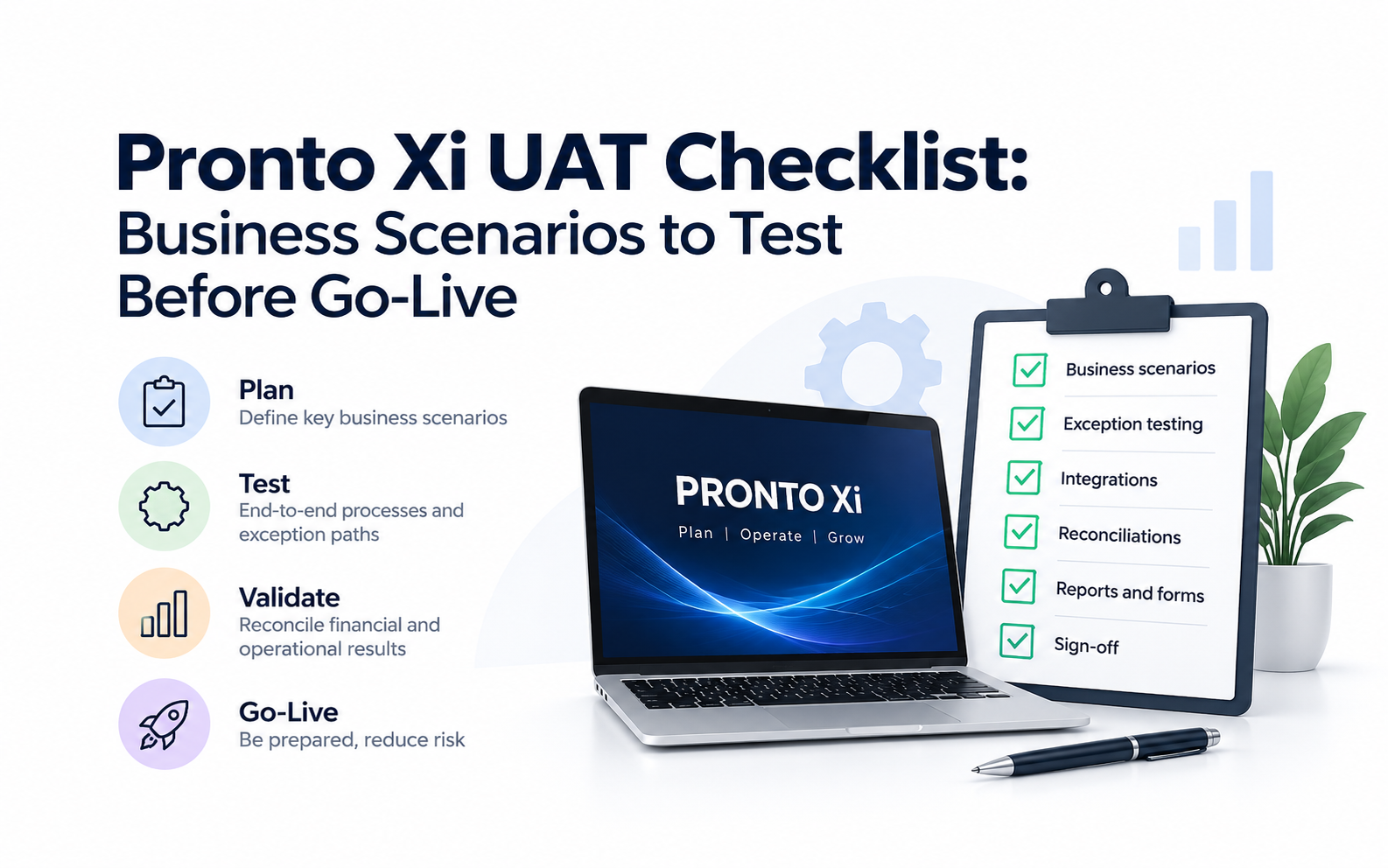
Pronto Xi UAT Checklist: Business Scenarios to Test Before Go-Live
A practical guide to Pronto Xi user acceptance testing, covering the business scenarios, exception paths, reconciliations, integrations and sign-off criteria to confirm before go-live.
Pronto Xi user acceptance testing should prove that the organisation can safely run its business on the proposed Pronto Xi environment, not simply that individual screens and transactions work.
Before approving go-live, users should test realistic end-to-end business processes, exception paths, integrations, reports and financial outcomes.
Every critical test should answer four questions:
What are we testing? → What should happen? → What evidence proves it happened? → Who accepts the result?
For CFOs and CIOs, this distinction matters. Strong UAT does not create ERP ROI by itself, but it helps protect the assumptions behind that ROI by reducing the risk of disruption, incorrect transactions, manual workarounds and expensive post-go-live remediation.
What is UAT in a Pronto Xi implementation or upgrade?
User acceptance testing, or UAT, is the business validation that a specific Pronto Xi configuration is fit for production use.
Technical testing might confirm that a screen opens, an API responds or a scheduled process runs.
UAT asks something different:
Can a real user complete the full business process correctly, including the exceptions that occur in normal operations, and can the resulting data be trusted?
For example, proving that Sales Order Entry opens is not sufficient.
A stronger scenario is:
Customer order → pricing → credit control → stock allocation → picking → despatch → invoicing → GL posting → reconciliation
If one critical step fails, the end-to-end process may not be production-ready even though most individual functions work.
1. What must be ready before Pronto Xi UAT starts?
Business users should not be asked to perform UAT while the environment is still technically unstable.
A practical UAT entry gate should be agreed before testing begins.
| Entry criterion | Minimum position before UAT |
|---|---|
| Environment | Stable and available |
| System testing | Material technical testing completed |
| Blocking defects | Closed |
| Configuration | Sufficiently stable for reliable testing |
| Customisations | Required versions deployed |
| Integrations | Available for the scenarios being tested |
| Test data | Loaded and validated |
| Users and permissions | Correct roles established |
| Expected results | Defined before execution |
| Test ownership | Business owners and testers nominated |
Starting UAT too early wastes the time of the people the organisation can least afford to distract: finance, payroll, warehouse, procurement and operations specialists.
2. Which Pronto Xi processes deserve the most testing?
Not every function requires the same testing depth.
Use a risk-based approach.
| Risk factor | Give the process more UAT coverage when… |
|---|---|
| Business criticality | Failure could stop sales, payroll, warehouse or finance |
| Financial impact | Incorrect results affect cash, GL, inventory valuation or statutory reporting |
| Change impact | The release materially changes the process |
| Customisation | Custom Pronto code or configuration is involved |
| Integration | Several external systems depend on the process |
| Transaction volume | Large numbers of transactions are processed |
| Complexity | There are many exception paths |
| History | The process has failed during previous releases |
| Compliance | Tax, payroll or regulatory obligations are involved |
This helps prevent a common testing failure: spending substantial effort on easy low-risk functions while under-testing a small number of processes capable of causing major disruption.
Pronto Xi-specific areas that often warrant regression testing
Depending on the organisation's configuration, pay particular attention to:
- Custom 4GL/RAD developments and other bespoke Pronto functionality
- Pronto Connect integrations and APIs
- Cognos reports, dashboards and management packs
- Payroll and payroll-to-GL processing
- WMS, barcode scanning and warehouse workflows
- EDI
- Forms, invoices, purchase orders, labels and printed outputs
- Scheduled and batch processes
- Company-specific configuration
- Interfaces to banking, ecommerce, freight, CRM or other operational systems
Not every organisation uses all of these. The test scope should reflect the actual Pronto Xi environment rather than a generic software checklist.
3. What test data should be used?
Weak test data produces weak UAT.
A perfectly clean test customer placing a simple order for available stock tells you very little about how the system will behave in production.
Use data representative of the organisation's real operating conditions.
That may include different customer pricing arrangements, suppliers with different purchasing terms, multiple companies or branches, stock shortages, serial- or lot-controlled inventory, foreign currencies, unusual tax treatments and employees with different payroll conditions.
The objective is not to recreate the entire production database.
It is to ensure the test environment contains enough realistic complexity to expose problems.
For each important process, ask:
What makes this transaction difficult in the real business?
Put those conditions into the test.
4. What should Finance test in Pronto Xi?
Finance UAT should prove both transaction processing and financial control.
A transaction is not correct simply because Pronto Xi accepts it.
Finance should confirm that it reaches the correct:
- entity;
- account;
- cost centre;
- period;
- GST treatment;
- subledger; and
- management report.
Example: procure to pay
| Test component | Example |
|---|---|
| Business scenario | Purchase inventory, receive it and process the supplier invoice |
| Expected result | PO, receipt, inventory, AP liability and GL postings agree |
| Exception | Short receipt or supplier price differs from PO |
| Evidence | PO, receipt, AP transaction, inventory movement and GL entry |
| Sign-off | Finance + Procurement |
Reconciliation should be mandatory
Finance should compare relevant pre- and post-change balances and confirm that:
| Reconciliation | What should agree |
|---|---|
| Accounts receivable | AR subledger to GL |
| Accounts payable | AP subledger to GL |
| Inventory | Quantities and valuation |
| Payroll | Payroll totals to GL |
| Fixed assets | Asset register to GL |
| Banking | Output totals and accepted transactions |
| Integrations | Source and destination totals |
| Management reporting | Key reports and control totals |
For CFOs, reconciliation is often more valuable than screenshots proving that a transaction was entered.
5. What should sales, purchasing and inventory users test?
UAT should follow the commercial process across functions rather than testing modules independently.
Order-to-cash example
Test a customer with contracted pricing ordering stock that is only partly available.
Prove that the correct customer, pricing, credit rules, stock allocation, warehouse activity, invoice, GST treatment, revenue and cost-of-sales postings result.
Then introduce exceptions:
- customer exceeds credit limit;
- insufficient stock;
- partial shipment;
- return;
- incorrect quantity;
- pricing adjustment.
Procure-to-pay example
Test an order where the supplier:
- delivers only part of the order;
- charges a different price;
- substitutes an item; or
- supplies freight or landed-cost components.
The expected inventory and financial treatment should be defined before the test is run.
That prevents users from unintentionally accepting whatever result appears on screen.
6. What should warehouse users test?
Warehouse UAT should reproduce the physical workflow.
For example:
Order received → stock allocated → pick generated → item scanned → shortage discovered → alternative action → packing → despatch → inventory update → invoice
Where Pronto Xi is integrated with warehouse scanning, freight, EDI or another logistics application, test the complete chain.
Do not stop at:
"The warehouse system sent the transaction."
Confirm:
The physical event, warehouse system, Pronto Xi inventory and financial result all agree.
High-value exception scenarios include incorrect stock location, insufficient stock during picking, partial despatch, scanning failure, return processing and a temporarily unavailable connected system.
7. What should Payroll test?
Where Pronto Xi Payroll is in scope, payroll should normally be treated as a critical UAT stream.
Representative employees should cover the payroll conditions the organisation actually encounters.
Depending on the environment, testing may include:
- different pay frequencies;
- overtime;
- allowances;
- deductions;
- leave;
- adjustments;
- terminations;
- superannuation;
- STP-related processing; and
- payroll-to-GL posting.
The evidence should answer:
Was the employee result correct?
Were statutory and payment outputs correct?
Did payroll reconcile to finance?
A correct gross-pay figure on one screen is not sufficient evidence that the payroll process passed.
8. What should manufacturing, service and maintenance users test?
For manufacturing, do not limit UAT to a straightforward production order.
A better scenario is:
A production order has started, a critical material becomes unavailable, the schedule changes and part of the output requires rework.
Test the effect on inventory, purchasing, resources, WIP, costing, production scheduling and financial postings.
For organisations using Pronto Xi service, asset or maintenance functionality, test an equivalent operational exception.
For example:
A critical asset is due for maintenance, but the required part is unavailable and the assigned technician is committed elsewhere.
The system should help users understand what must change and correctly capture the resulting labour, materials and cost.
9. How should Pronto Xi integrations be tested?
An integration has not passed because a message left Pronto Xi.
Test the complete process:
Pronto Xi → interface → receiving system → processing → acknowledgement → reconciliation
Then deliberately cause a failure.
For example:
What happens if the destination system is unavailable for 30 minutes?
The project team should know:
- how failure is detected;
- who is alerted;
- whether transactions queue;
- whether they can be safely retried;
- how duplicates are prevented; and
- how data is reconciled after recovery.
For CIOs, this is a critical distinction:
Connectivity is not the same as operational recoverability.
10. What reports, forms and Cognos outputs should be tested?
Reports and documents are frequently under-tested because the underlying transactions appear correct.
Yet an ERP release can still cause significant business disruption if:
- invoices display incorrectly;
- purchase orders lose key fields;
- warehouse labels stop printing;
- payroll outputs change;
- management packs no longer reconcile; or
- Cognos reports fail.
Identify all business-critical outputs and give each one:
Owner → expected result → test evidence → approval
Particular attention should be paid to finance and executive reporting, where users may rely on the output to make decisions without seeing the underlying transactions.
11. Who should write, execute and approve UAT?
Separating responsibilities improves test quality.
| Role | Primary responsibility |
|---|---|
| Business analyst / process lead | Defines scenario and expected outcome |
| Key user | Executes the test |
| IT / Pronto consultant | Investigates technical defects |
| Process owner | Determines business impact |
| Test lead | Controls evidence and defect status |
| Finance | Validates financial reconciliation where relevant |
| Executive sponsor | Makes the final residual-risk decision |
One individual should not ideally be the person who designed the solution, executed the test and unilaterally decided that the result was acceptable.
Business ownership matters.
12. What evidence should be retained?
"We tested it" is not adequate evidence for an important ERP release.
Evidence should be proportionate to risk.
A finance or payroll test may require transaction IDs, calculations, reports, ledger postings and reconciliations.
An integration test may require:
source transaction → interface record → destination transaction → reconciliation
Warehouse evidence may require scanned transactions together with physical-versus-system confirmation.
A useful test is:
Could someone who did not perform this scenario review the evidence later and understand why it passed?
If not, the evidence may be too weak.
13. How should defects be classified?
The number of defects is less important than their business impact.
| Severity | Example | Go-live treatment |
|---|---|---|
| Critical | Incorrect GL posting, payroll cannot run, warehouse cannot operate, material data corruption | Must be resolved |
| High | Critical process requires risky manual workaround | Resolve or explicitly accept risk |
| Medium | Process works with manageable limitation | May defer with owner and target date |
| Low | Cosmetic or minor usability issue | Normally safe to defer |
Each unresolved defect should have:
- business impact;
- severity;
- workaround;
- owner;
- resolution date; and
- acceptance authority.
A release with twenty cosmetic defects can be lower risk than a release with one unresolved financial-control defect.
14. What should the UAT go/no-go criteria be?
Define the release gate before UAT starts.
Otherwise, standards have a tendency to weaken as the planned launch date approaches.
| Go-live condition | Minimum requirement |
|---|---|
| Critical processes | Passed |
| Key exception paths | Tested |
| Financial reconciliation | Complete |
| Payroll | Validated where applicable |
| Critical integrations | Passed, including recovery |
| Critical reports/forms | Approved |
| Customisations | Required regression tests passed |
| Critical defects | Zero unresolved |
| High defects | Resolved or formally accepted |
| Workarounds | Documented and viable |
| User readiness | Material changes understood |
| Cutover | Approved |
| Rollback | Defined |
| Support | Available |
| Business sign-off | Complete |
When a criterion is not met, the executive question should not simply be:
"Do we delay?"
It should be:
"What business risk are we accepting by going live with this issue unresolved?"
15. Who should sign off Pronto Xi UAT?
IT should facilitate the environment and defect resolution.
It should not approve business readiness on behalf of Finance, Payroll or Operations.
Typical sign-off ownership might include:
| Process | Typical business owner |
|---|---|
| Financial close | CFO / Financial Controller |
| Accounts payable / receivable | Finance |
| Sales processing | Sales Operations / Finance |
| Procurement | Procurement Manager |
| Inventory | Operations / Inventory Manager |
| Warehouse | Warehouse Manager |
| Payroll | Payroll Manager |
| Manufacturing | Production / Operations Manager |
| Service / maintenance | Operational owner |
| Integrations | IT / ERP Manager |
| Technical environment | IT |
| Overall release | Executive sponsor |
Sign-off should mean:
The process owner has reviewed the evidence, understands outstanding issues and accepts that the process is fit for production use.
That is much stronger than approving a spreadsheet because every test row says "Pass".
How does good UAT protect Pronto Xi ROI?
Strong UAT protects the assumptions underpinning ERP ROI.
Suppose the Pronto Xi business case assumes:
- less manual processing;
- stronger inventory control;
- faster reporting;
- improved warehouse productivity; or
- more standardised processes.
If users encounter serious defects after launch and immediately create spreadsheets, offline processes and manual reconciliations, those expected benefits can erode quickly.
Effective UAT helps protect ROI by reducing avoidable disruption, protecting confidence in the data and reducing the need for post-go-live workarounds.
It also supports adoption.
Users are more likely to trust a changed ERP process when their critical scenarios have been tested properly before production.
Should Pronto Xi UAT become a reusable capability?
For organisations adopting Pronto Xi changes regularly, yes.
Rather than rebuilding the entire test plan for every upgrade or release, retain a controlled regression library containing:
- critical scenarios;
- representative test data;
- expected results;
- reconciliation requirements;
- process owners; and
- evidence standards.
For example, if order-to-cash is critical today, the core test should still be available for the next upgrade.
The same applies to payroll, month-end, warehouse fulfilment and integrations.
The goal is to move from:
"What should we test this time?"
to:
"Which parts of our established regression pack are affected by this change?"
That can make future release testing both faster and more disciplined.
Final Pronto Xi UAT checklist
Before approving go-live, confirm:
- UAT entry criteria were met before business testing began
- Critical processes have named owners
- Test scenarios use representative business data
- Expected results were defined before execution
- High-risk Pronto Xi customisations were regression-tested
- Important exception paths were tested
- AP, AR, inventory, payroll, assets and other material balances reconcile where applicable
- Critical interfaces were tested end to end, including failure and retry
- Reports, forms, labels and Cognos outputs were validated
- Critical defects are closed
- Remaining high-impact issues have explicit risk acceptance
- Evidence is sufficient to demonstrate why critical tests passed
- Business owners, not only IT, have signed off
- Cutover, rollback and post-go-live support are ready
If several of these conditions remain unresolved close to launch, additional testing may cost considerably less than repairing operational disruption after go-live.
Need Pronto Xi capability for UAT or an upgrade?
If a Pronto Xi implementation or upgrade exposes gaps in business analysis, testing, functional, technical or ERP-management capability, SAAPRO can help assess specialist skills available in the Australian market before resourcing becomes a critical project constraint.
Disclosure: SAAPRO is an independent Pronto Xi recruitment specialist and is not Pronto Software vendor.
Release-specific technical requirements should be validated against the organisation's Pronto Xi version, modules, customisations, integrations and support arrangements before production deployment.
Frequently Asked Questions
UAT proves that the configured Pronto Xi environment is acceptable for real business use. It should test end-to-end workflows, expected financial and operational outcomes, realistic exception paths and integrations rather than simply confirming that individual functions work.
Business users who understand the real processes should perform or directly validate UAT. Consultants and IT can facilitate testing and investigate defects, but finance, payroll, operations and other process owners should decide whether their business processes are ready.
Prioritise business-critical processes, custom developments, integrations, payroll, WMS or scanning, EDI, Cognos reports, forms, scheduled processes and financial reconciliations affected by the change. Testing depth should reflect business risk rather than attempting to test every function equally.
Regression testing checks whether previously working functionality still works after a change; UAT determines whether the resulting system is acceptable for business use. In a Pronto Xi upgrade they frequently overlap, but final acceptance should remain with the relevant business owners.
Potentially, but critical defects should normally block go-live. Lower-impact issues may be deferred where the workaround is viable, business impact is understood, ownership is clear and an authorised person explicitly accepts the residual risk.
There is no universal single test. The highest priority should be the process whose failure creates the greatest operational, financial or compliance impact. For many organisations this will include processes such as payroll, financial close, order fulfilment, warehousing or critical system integrations.
Key Takeaways
- ✓The most important Pronto Xi UAT question is not "Does Pronto Xi work?" It is "Can our organisation safely run its business on this specific Pronto Xi configuration?"
- ✓For CFOs, that means proving the financial results reconcile.
- ✓For CIOs, it means proving integrations, controls and recovery paths work.
- ✓For ERP managers and business analysts, it means proving users can complete real processes, including the difficult exceptions.
- ✓For the executive sponsor, it means making the go-live decision based on evidence and understood risk rather than schedule pressure.
- ✓Good UAT therefore does more than help a project reach go-live. It helps protect the conditions required to achieve the expected return from Pronto Xi.