Pronto Xi Disaster Recovery: Questions to Ask Before an Outage
A practical question set for Pronto Xi disaster recovery, covering recovery objectives, ransomware, dependencies, restore testing, responsibilities and what to confirm with a Pronto infrastructure consultant.
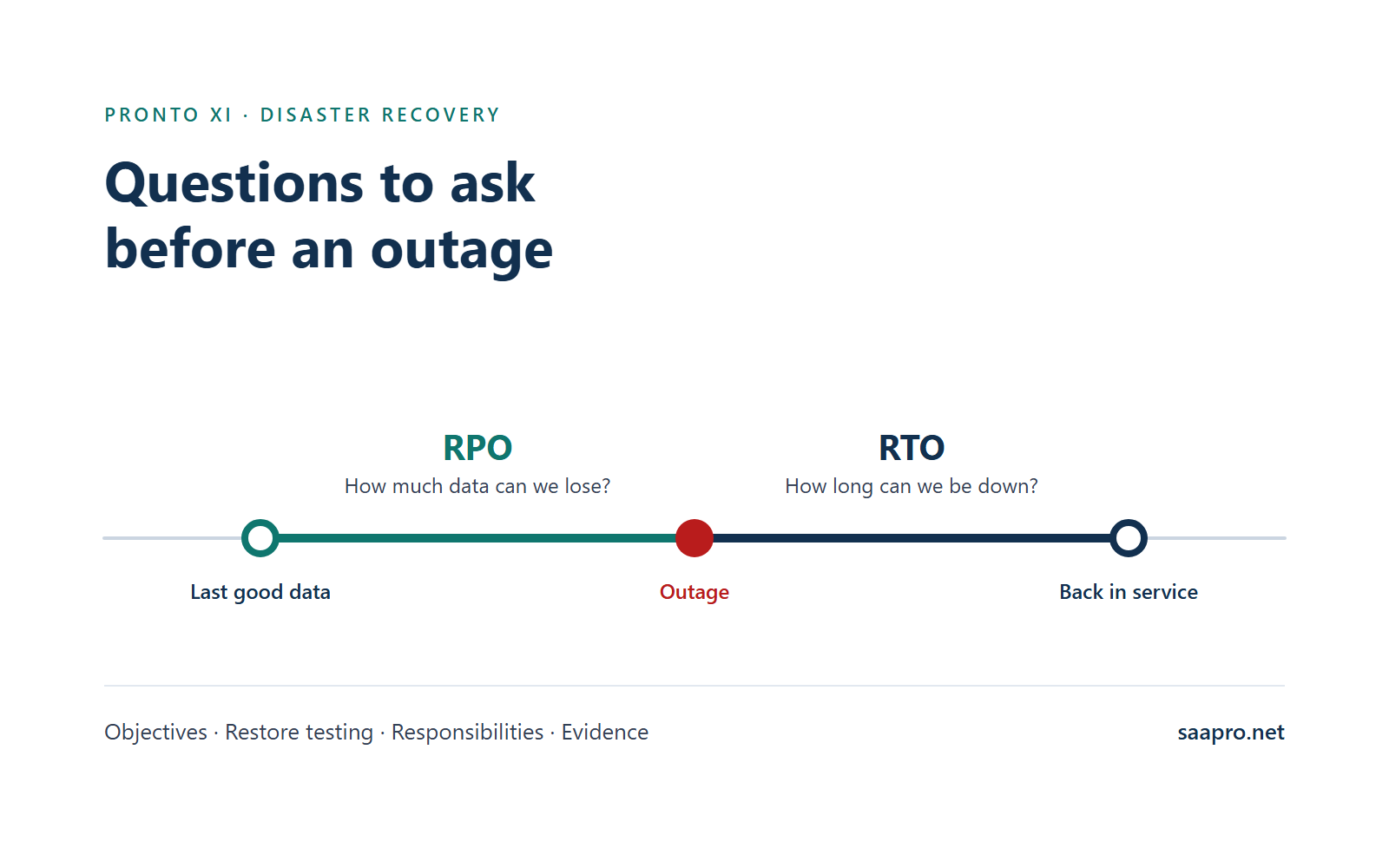
Short answer: Before an outage, get written answers to six questions about your Pronto Xi environment. How much data can we lose (recovery point objective, RPO)? How long can we be down (recovery time objective, RTO)? What are we protected against: hardware failure, a site outage, data corruption, or ransomware? Has a restore been tested, with business users confirming the result? Who is responsible for each step? What evidence could we show a board, auditor or insurer?
Important: this article gives you the questions and the governance framework. The Pronto-specific recovery mechanics (licensing at the recovery site, start-up order, scheduled jobs, custom code, and how Pronto's recovery services behave in a real failover) cannot be answered from a blog post or a brochure. You must speak to a Pronto infrastructure consultant about them, and the section "What to confirm with a Pronto infrastructure consultant" below gives you the questions to take.
Why disaster recovery is an ROI question
ERP is where orders, stock, invoices, payments and the ledger meet. If it is unavailable or its data is lost, the cost is not only technical:
- Operations stop or slow: orders, dispatch, purchasing and production may depend on the system.
- Cash flow is affected: invoicing and collections are delayed.
- Reconstruction effort: staff re-enter or reconcile transactions that were lost or partially captured.
- Reporting and audit exposure: gaps in records raise questions.
Pronto Software itself states that daily backups alone do not protect a business in all situations, because downtime can severely hinder or stop operations. Whether recovery investment is justified is a business decision. Use your own figures in the worksheet below.
Step 1: Know your deployment model, because it decides who does what
Pronto Software offers Pronto Xi as software as a service (SaaS), hosted, or on-premises. Responsibilities for recovery differ in each, and the label alone does not tell you enough. Confirm in writing who manages infrastructure and security, what backup and recovery commitments apply, what recovery targets apply, and who is responsible for testing.
| Deployment | Who typically runs infrastructure | Questions this raises |
|---|---|---|
| SaaS | Provider | What recovery commitments are in the contract? What can we see or test? |
| Hosted | Hosting provider (Pronto or another party) | Which recovery services are included, which cost extra, and what is excluded? |
| On-premises | You or your IT provider | Is every component replicated or backed up, and has restore been tested? |
Step 2: Understand what Pronto publishes, and what it does not
Pronto Software describes two disaster recovery services under Pronto Cloud:
- System Recovery Service (SRS): offered to cloud-hosted customers. Pronto describes it as replicating the production cloud environment to a secondary datacentre, so teams can switch to the parallel system with data as current as seconds before the incident, with an RPO under a minute.
- Pronto Cloud EverSync: offered for on-premises organisations. Pronto describes it as a protective layer on virtualised servers that replicates data in real time, and says it removes the need for duplicated infrastructure.
What the public pages say about recovery targets, and where they differ:
- Pronto's pages do not give one consistent figure for SRS. Its disaster recovery page states an RPO under a minute and does not state an RTO. Its hosting and managed services page describes SRS for hosted solutions with an RPO of under two minutes and an RTO of under two hours. Neither page quantifies recovery targets for EverSync. Do not assume which figure applies to you: ask Pronto or your provider which target is contractually committed for your service, in writing.
- How testing works: frequency, who runs it, and what you receive as evidence.
- How each service behaves in a real failover, including what you must do and what happens to integrations and scheduled work.
Marketing pages are not a service agreement. Ask for the contract terms, what your plan includes, and any conditions or exclusions.
Step 3: Set recovery objectives that the business has agreed
- What is our RPO for Pronto Xi, and who agreed it? RPO is how much data, measured in time, you can afford to lose.
- What is our RTO, and for which scenario? It may differ for a server failure, a site outage, data corruption and ransomware.
- Are they written into a contract or internal service level, or are they assumptions?
- Have finance, operations and sales agreed them? IT should not set them alone. Those functions know what an hour or a day of downtime costs.
- Do objectives differ by function? Order entry and warehouse operations may need faster recovery than month-end reporting.
- Do the technical measures actually achieve them? A nightly backup cannot deliver an RPO of minutes.
RTO is made of parts
A stated RTO often hides where the time goes. Ask for each component, and for your own estimate of it:
| Component | Question |
|---|---|
| Detection | How quickly will we know there is a problem? |
| Decision | Who declares a disaster, and how long does that take, including out of hours? |
| Failover or restore | How long does the technical recovery take? |
| Validation | How do we confirm data and processes are correct before users return? |
| Reconnection | How long to bring integrations, reporting and users back? |
| Communication | How and when do we inform staff, customers and suppliers? |
Step 4: Plan for different failures, not just "the server died"
Different events need different protection. A single control rarely covers all of them.
| Scenario | What it threatens | What typically helps |
|---|---|---|
| Hardware or server failure | Availability | Redundancy, replication, tested failover |
| Site or datacentre outage | Availability | A recovery copy in a separate location |
| Accidental deletion or bad data load | Data accuracy | Point-in-time recovery, tested restore of selected data |
| Data corruption | Data accuracy | Backups that go back far enough to a known-good state |
| Ransomware or malicious attack | Availability and integrity | Isolated and immutable backups, a clean recovery environment, credential separation |
Replication is not backup. Replication copies changes quickly, which also means it can copy corruption, bad deletes or encrypted data to the recovery site just as quickly. Ask what point-in-time or independent backup copies exist in addition to replication, and how far back they go.
Ransomware questions
- Are there backup copies that an attacker with administrator credentials cannot alter or delete? (for example offline, isolated or immutable copies)
- Are backup and recovery credentials separate from normal administrative accounts?
- How would we know a backup is clean? Do we scan or verify before restoring?
- Is there a clean environment to restore into, rather than back into a possibly compromised one?
- What is the decision process, including legal, insurer and regulator notification obligations, and who leads it?
- Have we rehearsed it? A tabletop exercise with finance, IT, operations and communications will find gaps cheaply.
- Have we checked what our cyber insurance requires for backups, testing and reporting?
Step 5: Map the dependencies beyond the ERP
Pronto Xi can be fully recovered and still not usable. Recovery depends on the things around it:
- Identity and directory services, and the authentication Pronto Xi users rely on
- Network, VPN, firewalls and DNS
- Certificates and secure connections
- Integrations: EDI, bank files, payment services, ecommerce, logistics and others. See our Pronto Xi integration guide.
- Reporting and analytics, including the embedded IBM Cognos Analytics integration if you use it
- Devices and peripherals: scanners, label printers, warehouse devices
- Third-party providers and their own recovery commitments
- A documented recovery order, showing what must come up before what
Create a dependency map and have each owner confirm their part.
Step 6: Test recovery properly
Backups and replication only count if recovery has been proven.
| Test type | What it proves | Limits |
|---|---|---|
| Tabletop exercise | People know their roles and decisions | No technology is exercised |
| Backup restore test | Data can be restored from backup | Does not prove applications or users work |
| Failover test | The secondary environment can take over | May not exercise real load or all integrations |
| Full recovery drill with business validation | Processes work end to end after recovery | Takes planning, time and business involvement |
- When did we last test, which type, and what was the result?
- Did business users confirm that data and key processes (for example an order to invoice, a purchase to payment) worked after recovery, not just that servers started?
- How long did the test take against our RTO, and how much data was lost against our RPO?
- Was the test safe? Confirm test recoveries could not send duplicate orders, payments or messages to real partners.
- What failed or ran slowly, was it fixed, and was it re-tested?
- Do we retest after significant change, such as upgrades, new integrations, new sites or infrastructure changes?
- Who signed off the result?
What to confirm with a Pronto infrastructure consultant
Some questions can only be answered by someone who knows how Pronto Xi is deployed and recovered, and who has seen it done in practice. Speak to a Pronto infrastructure consultant about each of the following before you rely on any recovery plan. Do not accept generic answers. Ask them to show how it works in your environment, in your version, and to document it.
1. Licensing at the recovery site
- What licensing is needed for the recovery environment, and is it in place today?
- Does your licence terms allow failover to a secondary environment, and for how long?
- What must be done to activate or move licensing during a failover, and who does it?
2. Start-up order
- What is the correct order to start and stop Pronto Xi components and related services during recovery?
- Which components depend on others, and what checks confirm each is healthy before the next starts?
- Is this written down, and has it been followed in a real test?
3. Scheduled jobs and background processing
- Which scheduled jobs, batch processes and background tasks run in your environment?
- Which must be paused, restarted or re-run after recovery, and which can cause duplicates or missed work if left alone?
- How do you identify transactions or jobs that were in progress when the outage occurred?
4. Custom code and configuration
- Is all custom code, customisation and configuration present and current at the recovery site, including anything developed in Pronto's development tools?
- How is it version-controlled, and how do you confirm the recovery copy matches production?
- Who holds the knowledge to rebuild or fix it, and is that person available during an incident?
5. How SRS or EverSync behave in a real failover
- If you use SRS or EverSync, what actually happens, step by step, in a failover? What is automatic and what is manual?
- What RTO should you expect in practice, and what is it based on? Has it been demonstrated?
- What data could be lost in a realistic failure, and how is that measured?
- How are integrations, interfaces and users reconnected?
- What happens during failback to the primary environment?
- How does the service handle corruption or deletion, rather than hardware loss?
- What does Pronto do, and what are you responsible for, in a declared disaster?
- What evidence of testing do you receive, and how often?
6. Evidence to ask the consultant for
- A written recovery runbook for your environment
- A documented component and dependency map
- A test report showing actual recovery time and data loss
- A list of manual steps and who performs them
If you do not have in-house Pronto infrastructure skills, plan this into your project now. See our guide to Pronto Xi roles.
Step 7: Define responsibilities
Write the answers into a table with a named person or organisation for each row. Gaps are the finding.
| Activity | Who is responsible? |
|---|---|
| Declaring a disaster and authorising failover | |
| Running the technical recovery | |
| Contacting Pronto, the hosting provider and other vendors | |
| Validating data after recovery | |
| Communicating with staff, customers and suppliers | |
| Handling transactions made or lost during the outage | |
| Re-establishing integrations | |
| Authorising the return to normal operations | |
| Updating the plan after an event or test |
- Is there an after-hours escalation path with current contacts?
- Do contracts define support response times for a disaster, and are they adequate?
- Is there a named deputy for every critical role? Knowledge often sits with one or two people.
Step 8: Gather business continuity evidence
A board, auditor, insurer or customer may ask you to show:
- A current disaster recovery plan with version and approval date
- A business impact assessment showing which processes depend on Pronto Xi and what an outage costs
- Agreed RPO and RTO, and who approved them
- The latest test report, with results, issues and actions
- Contract or service terms describing the recovery services in place
- A manual workaround plan for operating while the system is down, and how those transactions will be re-entered
- A contact and escalation list reviewed within an agreed period
- A record of plan reviews following changes such as upgrades, new integrations or new sites
If your organisation follows a business continuity management standard such as ISO 22301, or has regulatory or contractual continuity obligations, align this evidence with it. Check your specific obligations with your risk, legal or compliance advisers.
Worked example: a prioritised gap list
The following is illustrative only.
| Priority | Gap | Evidence | Owner | Action and date |
|---|---|---|---|---|
| 1 | Stated RPO 15 minutes, but backups run every 24 hours | Backup schedule | IT manager | Agree method that meets RPO, or reset RPO with the business |
| 2 | No backup copy protected from administrator-level compromise | Backup configuration | CIO | Introduce isolated or immutable copy |
| 3 | RTO of 4 hours never tested | No test record | IT manager and Pronto consultant | Run failover test with business validation |
| 4 | Integration recovery order undocumented | No dependency map | ERP manager | Map dependencies and document order |
| 5 | No named deputy for recovery lead | Roles table | CIO | Name and train a deputy |
A useful answer is a short list of specific gaps, each with an owner and a date.
CFO worksheet: cost of downtime versus cost of recovery
Use your own figures.
| Question | Your figure |
|---|---|
| Revenue or orders processed per hour or day through Pronto Xi | |
| Staff cost of idle or reduced productivity per hour | |
| Cost of manual re-entry and reconciliation after an outage | |
| Penalties, lost sales or customer impact | |
| Longest outage the business could tolerate | |
| Estimated cost of an outage of that length | |
| Annual cost of recovery capability (services, testing, staff time) |
Compare the two totals and discuss the gap with IT leaders. Include the cost of testing, not only the technology.
Where to find the answers
- Your contract and service schedules with Pronto Software or your hosting provider
- Your IT team's recovery plan and test records
- A Pronto infrastructure consultant, for the Pronto-specific mechanics listed above
- Pronto Software's published pages on Pronto Cloud disaster recovery and ERP deployment options
Match the recovery work to the expertise required
Identify the capability gap before relying on a recovery plan: Pronto infrastructure expertise for failover and start-up order, system administration for backups and restores, or testing capacity for recovery drills.
Contact SAAPRO to discuss permanent or contract Pronto professionals who can help you plan and test recovery.
Frequently Asked Questions
It is the set of plans, technology and tested procedures that restore Pronto Xi and its data after an outage, data loss or attack, within recovery objectives the business has agreed.
Recovery point objective (RPO) is the maximum amount of data, measured in time, you can afford to lose. Recovery time objective (RTO) is the maximum time you can afford the system to be unavailable.
Pronto Software describes two services under Pronto Cloud: System Recovery Service for cloud-hosted customers and EverSync for on-premises organisations. Its public pages give differing recovery figures for SRS and none for EverSync, so ask which targets are contractually committed for your service, and request testing details, in writing.
No. Replication copies changes quickly, which can also copy corruption or encrypted data to the recovery site. You also need independent backup copies that let you restore to an earlier known-good point.
Pronto Software states that daily backups alone do not protect a business in all situations. Whether it is enough for you depends on your agreed RPO and RTO and on whether restores have been tested.
Speak to a Pronto infrastructure consultant about licensing at the recovery site, start-up order, scheduled jobs, custom code, and how SRS or EverSync behave in a real failover for your environment.
Test often enough that results reflect your current environment, and retest after significant change. Agree the frequency with your business leaders, IT team and provider.
SAAPRO is a Pronto Xi-focused recruitment and staff augmentation firm operating in Australia since 2010. We help you find and place Pronto Xi system administrators, support analysts, ERP managers and project managers who can help you plan, test and run recovery. We do not provide hosting or disaster recovery services.
Key Takeaways
- ✓Before an outage, get written answers on RPO, RTO, which failures you are protected against, restore testing, responsibilities and evidence.
- ✓Your deployment model (SaaS, hosted or on-premises) decides who does what. Confirm recovery commitments in your contract rather than relying on marketing pages.
- ✓Recovery objectives must be agreed by finance, operations and sales, not set by IT alone, and the technical measures must actually achieve them.
- ✓Replication is not backup. You also need independent, point-in-time copies that an attacker with administrator credentials cannot alter.
- ✓Pronto Xi can be fully recovered and still be unusable if identity, network, integrations and reporting are not mapped and brought back in the right order.
- ✓Recovery only counts once a test has been validated by business users and measured against your RTO and RPO.
- ✓Pronto-specific mechanics, including licensing, start-up order, scheduled jobs, custom code and SRS or EverSync failover, must be confirmed with a Pronto infrastructure consultant.